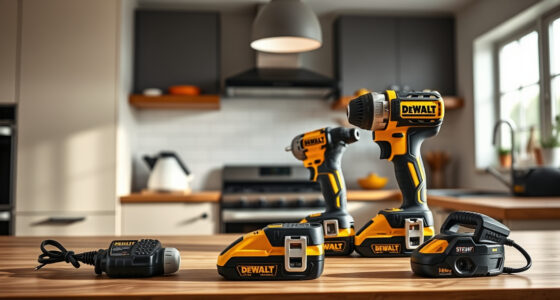
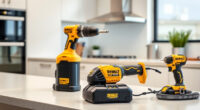
If your DEWALT 20V MAX Cordless Drill and Impact Driver is overheating, it can lead to reduced performance and potential damage. Overheating often results from extended use, blocked vents, or battery issues. This guide provides clear, step-by-step instructions to troubleshoot and fix overheating problems safely, helping you get back to work quickly and prevent future issues.

Get business pricing on garage and car supplies
- Business-only prices and quantity discounts
- Tax-exempt purchasing
- Multiple users, one account, clear invoices
Key Takeaways
| Identify overheating signs | Notice if the tool becomes excessively hot or shuts down unexpectedly. |
| Check for obstructions | Blocked vents or debris can cause heat buildup. |
| Inspect the batteries | Overused or faulty batteries can lead to overheating. |
| Allow cooling time | Let the tool cool down before further use or troubleshooting. |
| Maintain proper ventilation | Ensure vents are clear and the workspace is well-ventilated. |
Step 1: Power Down and Cool Off
- Immediately stop using the tool if it feels excessively hot or shuts down.
- Unplug or remove the batteries to prevent further heating.
- Allow the tool to cool down in a well-ventilated area for at least 15-30 minutes before handling.
Step 2: Clear Vents and Check for Debris
- Examine the vents on the drill for dust, dirt, or debris buildup.
- Use compressed air to gently blow out any obstructions, ensuring airflow can pass freely.
- Avoid using sharp or metal tools that could damage the vents.
Step 3: Inspect and Recharge Batteries
- Remove the batteries from the tool and check for signs of damage or swelling.
- Use the LED indicator on the batteries to assess charge levels.
- If batteries are hot or not holding charge, consider replacing them with compatible DEWALT 20V MAX 5 Ah Lithium-Ion batteries.
Step 4: Test the Tool with New Batteries
Reinstall fresh or fully charged batteries and turn on the tool in a controlled environment. Observe if it heats up quickly or functions normally. If overheating persists, further inspection or service may be needed.
Tips and Warnings for Safe Troubleshooting
- Always wear safety glasses when cleaning vents or handling batteries.
- Do not attempt to disassemble the tool or batteries yourself, as this could void warranties or cause damage.
- Use the tool within recommended duty cycles to prevent overheating.
- If the tool continues to overheat despite these steps, contact DEWALT customer service or a professional repair technician.
The Products in This Guide

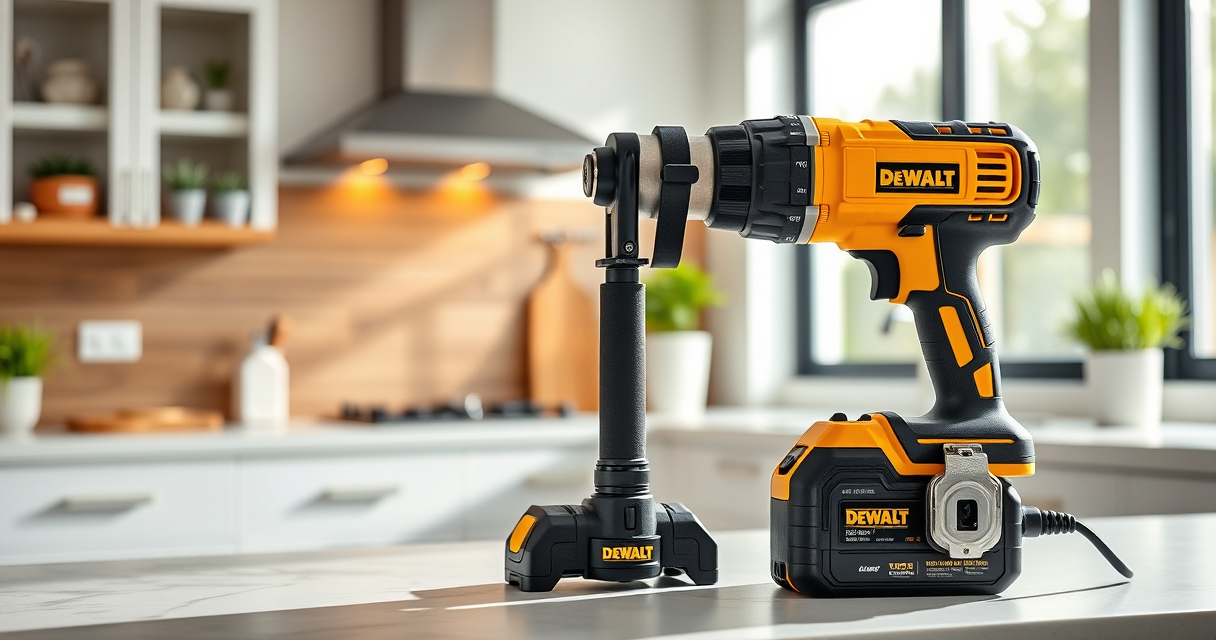
DEWALT 20V MAX Cordless Drill and Impact Driver
- ✔ Weight: 3.7 lbs
- ✔ LED Duration: 20 seconds
- ✔ Chuck Size: 1/2 inch

DEWALT Drill Bit Set
- ✔ Bit Length: 2-1/4 inches
- ✔ Package Weight: 1.2 lbs
- ✔ Storage: Plastic case
DEWALT 20V MAX Cordless Drill and Impact Driver
The DEWALT 20V MAX Cordless Drill and Impact Driver combo kit offers a compact, lightweight design with an ergonomic grip, making it ideal for tight spaces and prolonged use. Its LED light and variable speed trigger improve visibility and control, ensuring safe and precise work. Proper maintenance, including preventing overheating, will maximize its lifespan.
Pros:
- Lightweight and compact design
- Ergonomic comfort grip
- LED work light
- Variable speed control
Cons:
- Battery life may vary with heavy use
- Vents can get clogged without cleaning
- Overheating if used continuously for long periods
Best for: DIY enthusiasts and professionals needing reliable power in tight spaces
Not ideal for: Heavy-duty continuous industrial applications
Bottom line: A versatile, reliable drill set with features that support safe operation and longevity.
DEWALT Drill Bit Set
The DEWALT Drill Bit Set offers a 14-piece collection with a 135-degree split point tip, ideal for plastic, wood, and metal. Its black and gold coating prevents rust, and the 3-flats shank reduces spin-out, ensuring secure bit engagement during use.
Pros:
- Versatile for different materials
- Rust-resistant coating
- Secure grip with 3-flats shank
- Easy size identification
Cons:
- Limited to drilling tasks, not screw-driving
- Requires compatible drill chuck
- Bits may wear over time with heavy use
Best for: Home repairs, woodworking, metalworking projects
Not ideal for: Heavy industrial drilling
Bottom line: A comprehensive set that offers durability and versatility for various drilling needs.
Frequently Asked Questions
Why is my DEWALT drill overheating?
Overheating can occur from prolonged use, blocked vents, or battery issues. Ensuring proper maintenance and allowing the tool to cool down can prevent this.
How long should I let my drill cool after overheating?
Allow the drill to cool for at least 15-30 minutes in a well-ventilated area before attempting to use it again.
Can I continue using my drill if it gets hot?
It’s best to stop use immediately and let it cool down. Continuing to use a hot or overheated drill can cause damage or safety hazards.
What maintenance can prevent overheating?
Regularly clean the vents, avoid continuous heavy-duty use, and use fully charged, compatible batteries to ensure efficient operation.
Keeping Your DEWALT Power Tools Cool and Ready
Proper troubleshooting and maintenance can significantly reduce overheating issues in your DEWALT tools. Regularly cleaning vents, using quality batteries, and giving your tools time to cool down are simple yet effective steps. By following these guidelines, you can extend the lifespan of your cordless drill and impact driver, ensuring they perform reliably for all your projects.
Affiliate disclosure: As an Amazon Associate we earn from qualifying purchases. Prices and availability are accurate as of the time of publishing.
Halloween Picks

10.5 ft Lighted Pumpkin and Ghost Halloween Inflatable Archway

Halloween Inflatable Haunted House Maze – 20×20 ft with Removable Roof and Blower

11.2-Foot Halloween Inflatable Pumpkin with LED Lights
As an affiliate, we earn on qualifying purchases.