
Maintaining your DEWALT power tools is essential to extend their lifespan, ensure safety, and maintain peak performance. Whether you’re a professional contractor or a DIY enthusiast, understanding proper care, routine inspections, and troubleshooting techniques can save you time and money. This guide provides step-by-step instructions on how to keep your DEWALT tools in top condition, focusing on the popular DEWALT 20V MAX Cordless Drill and Impact Driver set.

Get business pricing on garage and car supplies
- Business-only prices and quantity discounts
- Tax-exempt purchasing
- Multiple users, one account, clear invoices
We’ll cover essential maintenance tasks, common troubleshooting issues, and expert tips to help you get the most out of your tools. Remember, safety always comes first—always disconnect power sources before performing maintenance or repairs.
Key Takeaways
| Routine Inspection | Regularly check for loose parts, wear, and damage to prevent failures. |
| Battery Care | Properly charge and store batteries to maximize lifespan and performance. |
| Cleaning & Lubrication | Keep tools clean and lubricated to prevent rust and ensure smooth operation. |
| Troubleshooting | Identify common issues like low power or overheating and resolve quickly. |
| Safe Maintenance | Always disconnect power and wear protective gear during upkeep. |
Routine Inspection and Cleaning
- Unplug or remove batteries from your DEWALT tools before inspection.
- Visually examine the tool for signs of wear, cracks, or loose parts, especially around the chuck, trigger, and battery connection.
- Clean the exterior with a dry cloth. For stubborn dirt, use a slightly damp cloth, avoiding internal components.
- Check for rust or corrosion, particularly on metal parts and battery contacts.
- Use compressed air to blow out dust and debris from vents, switch areas, and the chuck.
Regular inspections help detect potential issues early, preventing costly repairs or unsafe operation. Keep the tool dry and stored in a cool, dry place when not in use.
Battery Maintenance and Care
- Charge batteries with the original DEWALT charger and avoid overcharging.
- Store batteries in a cool, dry place, ideally at around 50% charge if not used for extended periods.
- Use the LED fuel gauge to monitor battery charge levels regularly.
- Clean battery contacts with a dry cloth periodically to ensure good electrical connection.
- Replace batteries showing diminished runtime or physical damage.
Proper battery care maximizes runtime and extends overall battery life, saving you money in the long run.
Lubrication and Internal Maintenance
Most DEWALT power tools have sealed motors and gearboxes, so internal lubrication is generally not user-serviceable. However, if your tool has accessible moving parts or gears, apply a few drops of light machine oil to keep them operating smoothly. For drills, ensure the chuck spins freely and is not jammed. If you notice unusual noise or resistance, disassemble the chuck carefully following the manufacturer’s instructions and clean or lubricate as needed.
Always consult your user manual before attempting internal maintenance, and consider professional servicing for complex issues.
Common Troubleshooting Tips
- Low Power or No Response: Check if the battery is fully charged. Test with a different battery if available. Inspect for debris or damage in the chuck or switch.
- Overheating: Allow the tool to cool down before use. Check for excessive dust or debris blocking vents. Avoid continuous operation beyond recommended durations.
- Chuck Issues: If bits slip or won’t tighten, clean the chuck and ensure the quick-release mechanism is functioning properly.
- Battery Not Charging: Verify connections, try a different charger, or replace the battery if it no longer holds a charge.
Address issues promptly to prevent further damage and ensure safety.
Safety Tips for Maintenance & Troubleshooting
- Always disconnect power sources before maintenance.
- Wear safety goggles and gloves when cleaning or inspecting tools.
- Avoid using harsh chemicals or abrasives that could damage the tool’s surface.
- Follow manufacturer instructions for disassembly and repairs.
- Store tools in a dry, secure location away from children.
Safety is paramount—never perform maintenance that could expose internal components to electrical hazards or cause injury.
The Products in This Guide

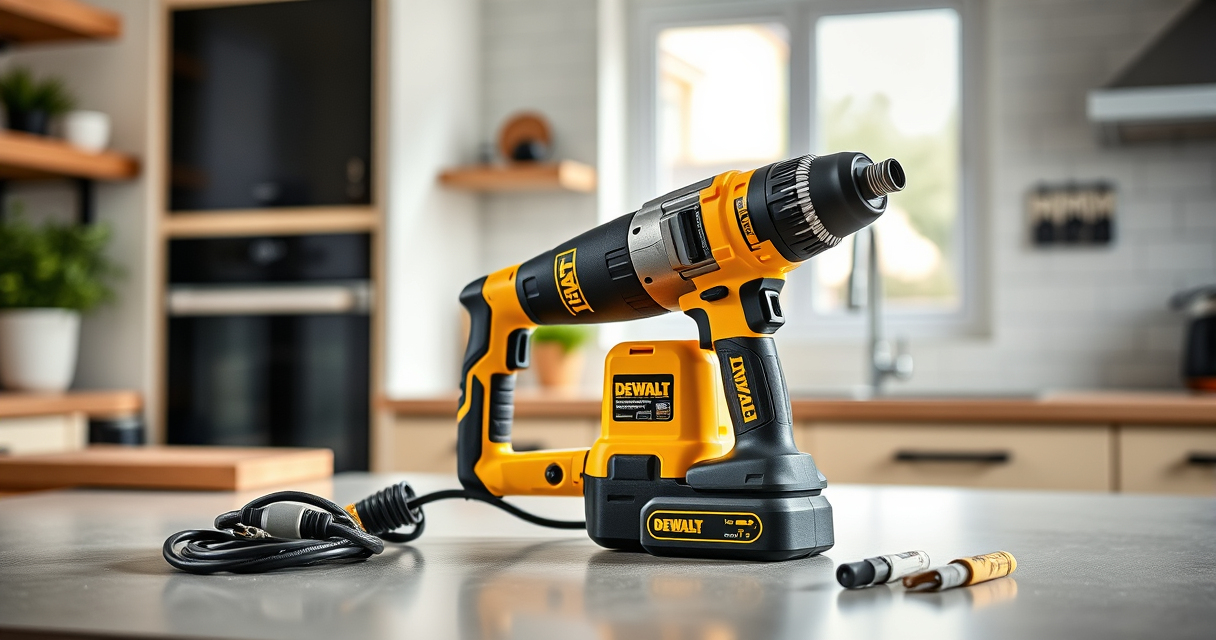
DEWALT 20V MAX Cordless Drill and Impact Driver
- ✔ Dimensions: 7.6 inches front-to-back
- ✔ Color: Black & yellow
- ✔ Package Includes: 2 batteries, charger, carrying bag

DEWALT Drill Bit Set
- ✔ Size: Various
- ✔ Weight: Lightweight
- ✔ Color: Black & gold
DEWALT 20V MAX Cordless Drill and Impact Driver
The DEWALT 20V MAX Cordless Drill and Impact Driver set is renowned for its compact design, ergonomic comfort, and reliable performance. Its brushless motors provide efficient power, making maintenance and troubleshooting straightforward. Regular upkeep ensures longevity and consistent performance, especially when combined with quality accessories.
Pros:
- Compact and lightweight for tight spaces
- Ergonomic grip for comfort
- Bright LED for visibility
- Quick-release hex chuck for easy bit changes
Cons:
- Battery life may vary with heavy use
- Stringer maintenance needed for lengthy projects
Best for: DIY projects, home repairs, professional trades
Not ideal for: Heavy-duty industrial use or prolonged continuous operation
Bottom line: A versatile, reliable, and easy-to-maintain cordless drill set for various tasks.
DEWALT Drill Bit Set
Pair your DEWALT drill with this durable 14-piece drill bit set featuring 135-degree split point tips. Designed for plastic, wood, and metal, these bits make drilling easier and more precise, especially during maintenance or project upgrades.
Pros:
- Durable High-Speed Steel construction
- Split point for reduced walking
- Color-coded for easy size identification
- Corrosion-resistant coating
Cons:
- Limited to bits included in the set
- Not suitable for heavy-duty industrial drilling
Best for: General purpose drilling, home improvement projects, tool upgrades
Not ideal for: Heavy industrial drilling or high-temperature applications
Bottom line: A versatile drill bit set that enhances the performance of your DEWALT drill.
Frequently Asked Questions
How often should I clean my DEWALT power tools?
Regular cleaning after each use is recommended, especially removing dust and debris from vents and moving parts to prevent overheating and wear.
Can I use any batteries with my DEWALT tools?
Only batteries designed for the DEWALT 20V MAX system, like the DCB205-2 5Ah batteries, are compatible. Using incompatible batteries can damage the tool or pose safety risks.
What should I do if my drill stops working unexpectedly?
First, check the battery charge level and connections. Inspect for debris in the chuck or switch. If issues persist, consult a professional technician or contact DEWALT support.
How do I extend the battery life?
Store batteries in a cool, dry place, avoid deep discharges, and use the appropriate charger. Regularly clean contacts and avoid leaving batteries in extreme temperatures.
Is it safe to perform internal maintenance myself?
Only if you have proper technical knowledge and follow safety guidelines. For complex repairs, it’s best to seek professional service to avoid injury or damage.
Keep Your DEWALT Tools in Peak Condition
Proper maintenance and troubleshooting are key to ensuring your DEWALT power tools remain reliable and efficient. Regular inspections, careful battery management, and prompt repairs can extend their lifespan and improve safety. Remember to follow safety protocols, consult your user manual, and when in doubt, seek professional assistance. With these practices, your tools will serve you well through many projects to come.
Affiliate disclosure: As an Amazon Associate we earn from qualifying purchases. Prices and availability are accurate as of the time of publishing.
Halloween Picks
halloween
As an affiliate, we earn on qualifying purchases.