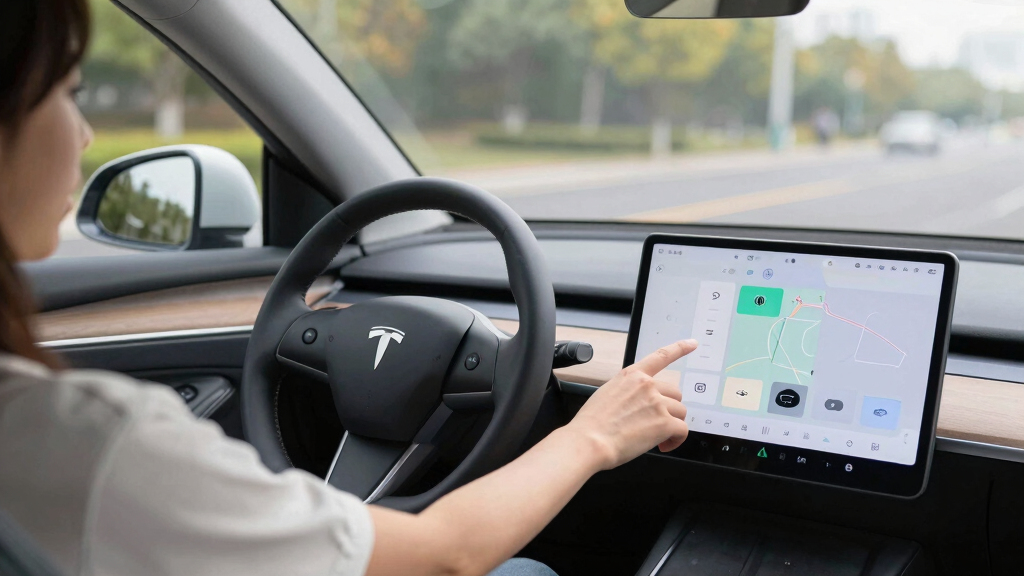
The best car touchscreen displays give older vehicles a larger, more accessible way to use CarPlay or Android Auto without replacing the factory stereo. My best overall pick is the Topexplore 9-Inch Portable Wireless Screen, which offers a useful screen size without the bulk of the 11.5-inch models. The IIWEY iK11 stands out for buyers who want a screen and 4K dash cam together, while the 7-inch portable options suit drivers who need a smaller footprint. The main tradeoffs are screen size, camera features, mounting space, and how much installation or cable management you are willing to handle. Read on for the full comparison and advice on matching a display to your vehicle.

Get business pricing on garage and car supplies
- Business-only prices and quantity discounts
- Tax-exempt purchasing
- Multiple users, one account, clear invoices
Complete the kit


Key Takeaways
- A 9-inch display is the practical middle ground: it gives maps and controls more room than a 7-inch unit while taking up less dashboard space than the 11- to 11.5-inch picks.
- Built-in dash cams change the value equation: the IIWEY iK11, IIWEY iK7, and several 11-inch models combine phone access with video recording, but add hardware and setup needs.
- Backup cameras are a separate priority from dash cams: some screens bundle a rear camera, while others focus on forward recording, so buyers should check which camera function they actually need.
- Portable screens favor simple upgrades: they can add wireless CarPlay or Android Auto without a stereo replacement, but their mount, power cable, and audio connection still need to suit the car.
- The largest screen is not automatically the best fit: 11.5-inch models provide a roomy interface, but a smaller display may preserve visibility and leave more dashboard controls accessible.
| 11.5-inch Wireless CarPlay & Android Auto Touch Screen with 1080p Backup Camera |  | Best for a Large Screen and Reversing Camera | Screen size: 11.5 inches | Resolution: 1080p | Phone compatibility: Apple CarPlay and Android Auto | VIEW LATEST PRICE | See Our Full Breakdown |
| Krunia 9.26-Inch Wireless CarPlay and Android Auto Screen |  | Best for a Simple Portable Setup | Display size: 9.26 inches | Resolution: 1600 × 600 | Display type: IPS touchscreen | VIEW LATEST PRICE | See Our Full Breakdown |
| 9-Inch Wireless CarPlay and Android Auto Touchscreen with Backup Camera |  | Best for Camera Coverage | Display size: 9 inches | Display resolution: 1024 × 600 | Brightness: 650 nits | VIEW LATEST PRICE | See Our Full Breakdown |
| Topexplore 9-Inch Portable Wireless CarPlay and Android Auto Screen |  | Best for Phone-Based Navigation | Screen size: 9 inches | Display: LCD capacitive touchscreen | Connectivity: Dual Bluetooth, FM, Wi-Fi | VIEW LATEST PRICE | See Our Full Breakdown |
| 7-inch Wireless CarPlay & Android Auto Portable Touchscreen for Cars |  | Best Compact Pick | Display size: 7 inches | Display type: HD touchscreen | Connectivity: Wireless Apple CarPlay and Android Auto | VIEW LATEST PRICE | See Our Full Breakdown |
| IIWEY iK11 11-Inch Wireless CarPlay and Android Auto Screen with 4K Dash Cam |  | Best for a Large Screen with Dual Cameras | Display size: 11 inches | Display resolution: 1280 × 800 | Phone integration: Wireless Apple CarPlay and Android Auto | VIEW LATEST PRICE | See Our Full Breakdown |
| 9-Inch Wireless Apple CarPlay & Android Auto Car Screen with 4K Dash Cam and Backup Camera |  | Best for Plug-and-Play Camera Coverage | Screen size: 9 inches | Phone integration: Wireless Apple CarPlay and Android Auto | Front camera: 4K | VIEW LATEST PRICE | See Our Full Breakdown |
| IIWEY iK7 10-Inch Wireless CarPlay and Android Auto Screen with 4K Dash Cam |  | Best Balanced Screen-and-Camera Package | Display size: 10 inches | Display resolution: 1600 × 600 | Refresh rate: 60 Hz | VIEW LATEST PRICE | See Our Full Breakdown |
| GTVFS 9-Inch Wireless CarPlay and Android Auto Touchscreen |  | Best for Simple Phone Integration | Brand and model: GTVFS CA905 | Display size: 9 inches | Phone integration: Wireless Apple CarPlay and Android Auto | VIEW LATEST PRICE | See Our Full Breakdown |
| 7-Inch Wireless CarPlay and Android Auto Screen |  | Best Compact Pick | Screen size: 7 inches | Display resolution: 1024 × 600 | Display type: HD IPS touchscreen | VIEW LATEST PRICE | See Our Full Breakdown |
| Largest 11.5 inch Wireless CarPlay Screen for Car with 4K Dash Cam and Backup Camera |  | Best for a Large Screen and Simple Audio Setup | Screen size: 11.5 inches | Display: HD touchscreen | Front dash cam: 4K | VIEW LATEST PRICE | See Our Full Breakdown |
| Rixvaxt 7-Inch Wireless CarPlay and Android Auto Touchscreen |  | Best Compact Pick for Beginners | Brand and model: Rixvaxt CA701 | Screen size: 7 inches | Display: HD touchscreen | VIEW LATEST PRICE | See Our Full Breakdown |
| 11-Inch Wireless CarPlay Screen with 4K Dash Cam and HD Touchscreen |  | Best for Camera Features and Mounting Flexibility | Screen size: 11 inches | Display: HD IPS touchscreen with full lamination | Connectivity: 5GHz Wi-Fi, Bluetooth 5.0 | VIEW LATEST PRICE | See Our Full Breakdown |
| Largest 11.5 inch Wireless CarPlay Screen for Car with HD Touchscreen, 4K Dash Cam, Backup Camera, Navigation, Bluetooth, Voice Control, FM, Mirror Link |  | Best for Wireless Connectivity Options | Screen size: 11.5 inches | Display: HD | Dash cam: 4K | VIEW LATEST PRICE | See Our Full Breakdown |
| car touchscreen display | Screen size | Connectivity |
|---|---|---|
| 11.5-inch Wireless CarPlay & A | 11.5 inches | — |
| Krunia 9.26-Inch Wireless CarP | — | Bluetooth 5.0 and Wi-Fi |
| 9-Inch Wireless CarPlay and An | — | — |
| Topexplore 9-Inch Portable Wir | 9 inches | Dual Bluetooth, FM, Wi-Fi |
| 7-inch Wireless CarPlay & Andr | — | Wireless Apple CarPlay and Android Auto |
| IIWEY iK11 11-Inch Wireless Ca | — | — |
| 9-Inch Wireless Apple CarPlay | 9 inches | Wireless Bluetooth and Wi-Fi |
| IIWEY iK7 10-Inch Wireless Car | — | — |
| GTVFS 9-Inch Wireless CarPlay | — | Bluetooth, FM, AUX |
| 7-Inch Wireless CarPlay and An | 7 inches | — |
| Largest 11.5 inch Wireless Car | 11.5 inches | — |
| Rixvaxt 7-Inch Wireless CarPla | 7 inches | Bluetooth, Wi-Fi |
| 11-Inch Wireless CarPlay Scree | 11 inches | 5GHz Wi-Fi, Bluetooth 5.0 |
| Largest 11.5 inch Wireless Car | 11.5 inches | Wireless CarPlay, Android Auto, Bluetooth 5.0, Wi-Fi |
More Details on Our Top Picks
11.5-inch Wireless CarPlay & Android Auto Touch Screen with 1080p Backup Camera
This display makes the most sense for drivers who want a roomy view of phone-based navigation and a backup camera in one package. Its 11.5-inch 1080p screen is larger and sharper on paper than the Krunia 9.26-Inch Wireless CarPlay and Android Auto Screen, while the included waterproof 1080p camera adds a clear reversing aid. Wireless CarPlay and Android Auto, plus Siri and Google Assistant voice control, help keep common phone tasks accessible while driving. The tradeoff is that this model may need vehicle-specific installation or extra setup, so it is less straightforward than Krunia’s cigarette-lighter-powered portable option. I’d shortlist it for buyers who value screen area and camera resolution over a quick, simple setup.
Pros:- Large 11.5-inch 1080p display
- Wireless Apple CarPlay and Android Auto
- Includes a waterproof 1080p backup camera
- Siri and Google Assistant voice control
Cons:- May require additional setup or installation for the vehicle
- Installation may be challenging for non-technical owners
Best for: Drivers who want a large, high-resolution screen and an included 1080p backup camera
Not ideal for: Drivers who want a quick plug-in setup or are uncomfortable handling vehicle installation
- Screen size:11.5 inches
- Resolution:1080p
- Phone compatibility:Apple CarPlay and Android Auto
- Backup camera:Waterproof 1080p
- Voice control:Siri and Google Assistant
- Other features:Mirror link, Bluetooth, GPS
Our verdict“Choose this model if screen size and a 1080p backup camera matter more to you than the easiest installation.”
Krunia 9.26-Inch Wireless CarPlay and Android Auto Screen
The Krunia suits drivers who want a capable touchscreen without altering the dashboard. It runs from the car’s cigarette lighter and pairs wirelessly with CarPlay or Android Auto, making installation simpler than the 11.5-inch Wireless CarPlay & Android Auto Touch Screen with 1080p Backup Camera, which may need extra vehicle setup. Its 9.26-inch IPS display offers more room than the 7-inch Wireless CarPlay & Android Auto Portable Touchscreen for Cars, and the included night-vision backup camera adds practical reversing help. Audio can go through AUX, Bluetooth, FM transmission, or the built-in speaker, so it can suit different car stereos. The screen still occupies dashboard space, and the cigarette-lighter power connection may be awkward in cars with a crowded socket.
Pros:- Portable setup avoids dashboard modifications
- 9.26-inch IPS touchscreen with 550 cd/m² brightness
- Includes a night-vision backup camera
- AUX, Bluetooth, FM, and built-in speaker audio options
Cons:- Requires a cigarette-lighter power connection
- The screen and wiring take up dashboard and cabin space
Best for: Drivers who want wireless phone integration and a backup camera without modifying the dashboard
Not ideal for: Drivers who need a discreet, integrated installation or have no convenient cigarette-lighter socket
- Display size:9.26 inches
- Resolution:1600 × 600
- Display type:IPS touchscreen
- Brightness:550 cd/m²
- Connectivity:Bluetooth 5.0 and Wi-Fi
- Audio outputs:AUX, Bluetooth, FM transmission, built-in speaker
- Included camera:Backup camera with night vision
- Power connector:USB Type-C
Our verdict“Pick the Krunia if you want a larger portable screen and camera with a setup that avoids dashboard changes.”
9-Inch Wireless CarPlay and Android Auto Touchscreen with Backup Camera
This 9-inch option gives camera-equipped drivers a strong mix of phone integration and reversing visibility without replacing the factory stereo. Its 1080p backup camera with a 170° viewing angle is the clearest stated camera setup in this batch, while the included 19.7-foot cable offers flexibility when routing it through a vehicle. Compared with the Krunia 9.26-Inch Wireless CarPlay and Android Auto Screen, this model has a slightly smaller display but specifies a wide camera angle and a 24-month warranty. Multiple audio routes and suction-cup or adhesive mounting add flexibility. One limitation is that navigation relies on the connected phone’s GPS; screen mirroring also requires disconnecting CarPlay or Android Auto. I’d favor it for reversing support over a larger display or simpler all-in-one phone use.
Pros:- Includes a 1080p camera with night vision and a 170° viewing angle
- Mounts without replacing the factory stereo
- Offers Bluetooth, FM, AUX, and built-in speaker audio
- Includes a 24-month warranty and lifetime technical support
Cons:- Navigation depends on the connected phone’s GPS
- Screen mirroring requires disconnecting CarPlay or Android Auto
Best for: Drivers prioritizing a wide-view reversing camera while keeping their factory stereo
Not ideal for: Drivers who want standalone navigation or simultaneous mirroring and CarPlay or Android Auto
- Display size:9 inches
- Display resolution:1024 × 600
- Brightness:650 nits
- Wireless connectivity:Bluetooth 5.0 and 5 GHz Wi-Fi
- Backup camera:1080p with 170° viewing angle
- Camera cable:19.7 ft (6 m)
- Audio options:Bluetooth, FM transmitter, AUX, built-in speaker
- Mounting options:Suction cup or adhesive dashboard mount
- Warranty:24 months
Our verdict“Choose this touchscreen if a wide-angle backup camera matters more than standalone navigation or a larger screen.”
Topexplore 9-Inch Portable Wireless CarPlay and Android Auto Screen
Topexplore keeps its purpose straightforward: it provides a 9-inch wireless interface for phone-based navigation, calls, and music, with several ways to send audio to the car. Compared with the 9-Inch Wireless CarPlay and Android Auto Touchscreen with Backup Camera, this model’s listed features focus on portability and screen mirroring rather than an included reversing camera. It also supports Bluetooth, AUX, FM, and its built-in speaker, giving owners choices when the car stereo lacks a suitable connection. The limits are specific: navigation needs a connected phone, there is no standalone offline GPS, and Huawei and Xiaomi phones are unsupported. Its stated dimensions are 9 × 9 × 9 inches, so check the available dashboard space before choosing it over the smaller 7-inch portable display.
Pros:- Wireless CarPlay and Android Auto
- 9-inch capacitive touchscreen with screen mirroring
- Bluetooth, AUX, FM, and built-in speaker audio
- Suction-cup dashboard mount
Cons:- Navigation requires a connected phone and has no standalone offline mode
- Huawei and Xiaomi devices are not supported
- No backup camera is listed
Best for: iPhone and supported Android users who want a portable 9-inch display for phone-based navigation
Not ideal for: Huawei or Xiaomi phone owners, or drivers who need offline navigation or an included backup camera
- Screen size:9 inches
- Display:LCD capacitive touchscreen
- Connectivity:Dual Bluetooth, FM, Wi-Fi
- Audio outputs:Bluetooth, AUX, FM, built-in speaker
- Mounting:Suction-cup dashboard mount
- Compatibility:iPhone with CarPlay or Android phone with Android Auto; Huawei and Xiaomi not supported
- Navigation:Requires connected phone; no standalone offline navigation
- Warranty:1 year
Our verdict“Pick Topexplore if your phone is compatible and you want a portable 9-inch display with flexible audio connections.”
7-inch Wireless CarPlay & Android Auto Portable Touchscreen for Cars
This 7-inch unit is the most compact choice in the batch for drivers who want wireless phone features without giving as much dashboard space to a screen. It offers CarPlay and Android Auto, voice control, and several audio options, while its cigarette-lighter power and suction mount make it a portable upgrade. Compared with Topexplore’s 9-inch screen, it gives up viewing area and the supplied description does not list specific phone compatibility limits; in return, its smaller display may be easier to place in a tight cabin. Bluetooth, AUX, FM, and the built-in speaker provide ways to hear audio through different car setups. Its modest screen size and app restrictions on mirroring make it less appealing for buyers who want a roomy map or unrestricted phone projection.
Pros:- Compact 7-inch display for tighter dashboards
- Wireless CarPlay and Android Auto
- Plug-and-play power through a cigarette-lighter socket
- Bluetooth, AUX, FM, and built-in speaker audio
Cons:- Smaller viewing area than the 9-inch and 11.5-inch options
- Some apps may restrict screen mirroring
- Wireless connection requires initial setup
Best for: Drivers with limited dashboard space who want portable wireless CarPlay or Android Auto
Not ideal for: Drivers who want a large map display or expect every phone app to mirror on the screen
- Display size:7 inches
- Display type:HD touchscreen
- Connectivity:Wireless Apple CarPlay and Android Auto
- Screen mirroring:Supported; some apps may restrict mirroring
- Audio outputs:Bluetooth, AUX, FM, built-in speaker
- Installation:Plug and play; powered via cigarette-lighter socket
- Mounting:Suction mount for dashboard or windshield
Our verdict“Choose this model if dashboard space is limited and you value a compact portable screen over a larger map view.”
IIWEY iK11 11-Inch Wireless CarPlay and Android Auto Screen with 4K Dash Cam
The 11-inch display gives maps and driving controls more room than the 9-inch GTVFS CA905, while wireless CarPlay and Android Auto keep common phone features accessible. Its main distinction is the included 4K front camera, 1080p rear camera, and 64GB memory card, so buyers get a camera setup alongside the touchscreen. Siri and Google Assistant voice control can help reduce screen interaction while driving. That larger panel takes up more dashboard space, though, and may block sightlines in smaller cars. Audio also needs planning: despite Bluetooth connectivity, the listing says it does not connect to the car stereo via Bluetooth, so AUX or FM may be needed. I’d choose it for screen area and included cameras, not for a discreet or streamlined installation.
Pros:- Large 11-inch touchscreen offers more room for maps and controls than the 9-inch GTVFS CA905
- Includes 4K front and 1080p rear cameras
- Comes with a 64GB memory card
- Offers wireless CarPlay and Android Auto with Siri and Google Assistant voice control
Cons:- Large panel may obstruct visibility in smaller vehicles
- Does not connect to the car stereo via Bluetooth
- Requires mounting a separate display and cameras
Best for: Drivers with a roomy dashboard who want a large portable CarPlay screen and front and rear cameras in one package
Not ideal for: Drivers of compact cars or anyone who needs a low-profile display or direct Bluetooth audio connection to the car stereo
- Display size:11 inches
- Display resolution:1280 × 800
- Phone integration:Wireless Apple CarPlay and Android Auto
- Front camera:4K
- Rear camera:1080p
- Included storage:64GB memory card
- Mounting:Suction cup or adhesive
- Warranty:1 year
Our verdict“Choose the iK11 if your dashboard can accommodate its large screen and you want both cameras and wireless phone integration included.”
9-Inch Wireless Apple CarPlay & Android Auto Car Screen with 4K Dash Cam and Backup Camera
This 9-inch screen pairs wireless CarPlay and Android Auto with 4K front and 1080p rear cameras, plus parking monitoring. Compared with the camera-equipped IIWEY iK7, it has a smaller listed display and a simpler cigarette-lighter power setup; that can suit drivers who want navigation and cameras without a larger dashboard panel. Real-time navigation uses the connected phone, so the screen is a convenient interface rather than an independent GPS device. Plug-and-play installation avoids replacing the factory radio, though routing and positioning the rear camera may still take effort. Buyers should also check that their vehicle has a compatible power outlet. I’d shortlist it for a portable camera-and-screen bundle, while shoppers focused on screen area may prefer the 10-inch iK7.
Pros:- Combines wireless Apple CarPlay and Android Auto with front and rear cameras
- 4K front camera and 1080p rear camera are listed
- Includes parking monitoring and voice-controlled GPS navigation
- Plug-and-play setup does not require replacing the factory radio
Cons:- GPS and media functions require a connected smartphone
- Rear camera installation may take effort
- Requires a compatible cigarette-lighter power outlet
Best for: Drivers who want a portable 9-inch CarPlay display with front and rear recording and a cigarette-lighter power connection
Not ideal for: Drivers seeking standalone navigation, a large display, or a setup that avoids camera installation and cable routing
- Screen size:9 inches
- Phone integration:Wireless Apple CarPlay and Android Auto
- Front camera:4K
- Rear camera:1080p
- GPS:Real-time navigation with voice control
- Connectivity:Wireless Bluetooth and Wi-Fi
- Installation:Plug-and-play, cigarette-lighter power
- Warranty:1 year
Our verdict“Pick this model if you want a 9-inch portable display bundled with front and rear cameras and can work with phone-based navigation.”
IIWEY iK7 10-Inch Wireless CarPlay and Android Auto Screen with 4K Dash Cam
The 10-inch iK7 sits between the 11-inch iK11 and the 9-inch GTVFS CA905 in screen size, giving buyers a broad display without choosing the largest panel in this batch. Its 1600 × 600 resolution and 60 Hz refresh rate are specified, and the package adds a 4K dash cam, 1080p reverse camera, and 64GB card. Wireless CarPlay and Android Auto bring phone navigation and media to the screen, but GPS still depends on the connected phone. Compared with the 9-inch camera bundle, the iK7 gives more display area; compared with the iK11, it is slightly smaller and offers multiple audio routes including AUX and FM. It still means mounting a separate screen and cameras, so I’d favor it when a balanced display size and bundled recording matter more than a factory-integrated appearance.
Pros:- 10-inch display offers a middle ground between the 9-inch GTVFS CA905 and 11-inch iK11
- Includes a 4K dash cam, 1080p reverse camera, and 64GB memory card
- Supports wireless CarPlay and Android Auto with voice control
- Bluetooth, AUX, and FM provide multiple audio options
Cons:- GPS navigation relies on a connected phone
- Requires installation of a separate display and cameras
Best for: Drivers who want a mid-to-large portable touchscreen with dual cameras, included storage, and several audio connection options
Not ideal for: Drivers who want standalone GPS navigation or prefer not to mount and wire a separate screen and cameras
- Display size:10 inches
- Display resolution:1600 × 600
- Refresh rate:60 Hz
- Phone integration:Wireless Apple CarPlay and Android Auto
- Dash cam resolution:4K
- Rear camera resolution:1080p
- Included memory card:64GB
- Mounting options:3M adhesive mount or telescopic suction cup
- Warranty:1 year
Our verdict“Choose the iK7 if you want more screen area than a 9-inch portable unit plus cameras and storage in the same package.”
GTVFS 9-Inch Wireless CarPlay and Android Auto Touchscreen
The GTVFS CA905 focuses on the core job of a portable car touchscreen: wireless CarPlay and Android Auto on a 9-inch HD display, with voice control, hands-free calling, and phone mirroring. Unlike the IIWEY iK7, it does not list front or rear cameras or included memory; that keeps the feature set centered on phone access rather than recording. Its audio choices—Bluetooth, AUX, FM, and a built-in speaker—give drivers several ways to hear navigation and media, though the right option depends on the car stereo. Suction-cup mounting and cigarette-lighter power make it portable, but leave a visible screen and cable on the dashboard. I’d pick it for straightforward phone connectivity; drivers seeking bundled camera coverage should look to the iK7 or 9-inch camera model instead.
Pros:- Supports wireless Apple CarPlay and Android Auto
- 9-inch HD touchscreen provides a large interface for a portable unit
- Offers Bluetooth, AUX, FM, and built-in speaker audio
- Suction-cup mount and cigarette-lighter power support portable installation
Cons:- No dash camera or included storage is listed
- Requires a visible dashboard-mounted screen and cigarette-lighter power
- Audio setup may require choosing a connection compatible with the car stereo
Best for: Drivers who want a straightforward 9-inch portable CarPlay and Android Auto display with flexible audio connections
Not ideal for: Drivers who want dash cameras, included video storage, or a display integrated into the factory dashboard
- Brand and model:GTVFS CA905
- Display size:9 inches
- Phone integration:Wireless Apple CarPlay and Android Auto
- Connectivity:Bluetooth, FM, AUX
- Audio outputs:FM transmission, Bluetooth, AUX, built-in speaker
- Mounting:Dashboard suction-cup mount
- Power:Cigarette lighter
- Warranty:1 year
Our verdict“Choose the CA905 if phone integration and audio flexibility matter more to you than bundled cameras.”
7-Inch Wireless CarPlay and Android Auto Screen
This 7-inch display is the most compact option in the batch, making it easier to fit on a crowded dashboard than the 9-inch GTVFS CA905 or the larger IIWEY screens. It still supports wireless CarPlay and Android Auto, with Siri or Google Assistant voice control, and its portrait-or-landscape rotation lets drivers adapt the screen to their mounting space. Bluetooth, AUX, and FM give several ways to route audio, while AirPlay and Miracast add phone mirroring. The tradeoff is less screen area for maps and controls than the 9-inch models, and the 1024 × 600 resolution is specified rather than a larger display format. It also relies on cigarette-lighter power, and the product details do not specify software update support. I’d choose it when dashboard fit matters more than a roomy navigation view.
Pros:- Compact 7-inch screen takes less dashboard space than the 9-inch GTVFS CA905
- Supports wireless Apple CarPlay and Android Auto with Siri and Google Assistant
- Rotates between landscape and portrait orientations
- Provides Bluetooth, AUX, FM, AirPlay, and Miracast options
Cons:- Smaller screen offers less room for maps and touch controls than the 9-inch models
- Requires cigarette-lighter power
- Software update support is not specified
Best for: Drivers with limited dashboard space who want wireless phone integration and a screen that can rotate between portrait and landscape
Not ideal for: Drivers who prioritize a large map view or want bundled dash cameras and included storage
- Screen size:7 inches
- Display resolution:1024 × 600
- Display type:HD IPS touchscreen
- Wireless compatibility:Apple CarPlay and Android Auto
- Audio outputs:Built-in speaker, Bluetooth, AUX, FM transmitter
- Phone mirroring:AirPlay and Miracast
- Mounting:Dashboard mount with 360° adjustable arm and suction cup
- Power:Cigarette lighter
- Weight:690 g
Our verdict“Choose this 7-inch model if a compact, rotatable display fits your dashboard better than the larger alternatives.”
Largest 11.5 inch Wireless CarPlay Screen for Car with 4K Dash Cam and Backup Camera
I’d choose this model when screen size is the priority and the car has a straightforward way to route audio. Its 11.5-inch display gives navigation and phone controls more room than the Rixvaxt 7-Inch, while the 4K front dash cam and 1080p rear camera add recording and reversing functions in the same unit. Bluetooth, AUX, and FM transmitter options offer flexibility for different car stereos. The tradeoff is the footprint: check dashboard space and sightlines before mounting such a large display. It also depends on a cigarette-lighter power connection, and the supplied details flag possible disconnections with Android 16 devices. I’d favor a smaller screen if visibility or a tidy installation matters more than having a broad interface.
Pros:- 11.5-inch touchscreen provides a roomy view of navigation and controls.
- Wireless Apple CarPlay and Android Auto support phone-based apps.
- Includes a 4K dash cam and 1080p rear camera.
- Bluetooth, AUX, and FM transmitter audio options suit different vehicle stereos.
Cons:- Large display may take up dashboard space or interfere with sightlines.
- Requires a cigarette-lighter power connection.
- Product details flag possible disconnections with Android 16 devices.
Best for: Drivers with ample dashboard space who want a large wireless CarPlay or Android Auto display with front and rear cameras.
Not ideal for: Drivers with compact dashboards, limited cigarette-lighter access, or Android 16 phones where connection reliability is a concern.
- Screen size:11.5 inches
- Display:HD touchscreen
- Front dash cam:4K
- Rear camera:1080p
- Storage:64GB
- Phone connectivity:Wireless CarPlay, Android Auto, Mirror Link
- Bluetooth:Bluetooth 5.0
- Audio outputs:Bluetooth, AUX, FM transmitter
- Power:Cigarette lighter
Our verdict“Choose it if you want a particularly large touchscreen with front and rear cameras and have room to mount it safely.”
Rixvaxt 7-Inch Wireless CarPlay and Android Auto Touchscreen
The Rixvaxt CA701 is the most approachable choice here for drivers who want phone-based navigation without a large screen taking over the dash. Its 7-inch display is far smaller than the 11-inch camera-equipped model in this batch, which can make placement easier in a crowded cabin. Setup is designed around a cigarette-lighter connection, with audio available through Bluetooth, AUX, FM transmission, or the built-in speaker. That flexibility helps when matching the screen to an older stereo. The compact size also means less room for map details and touch targets. Navigation depends on a compatible phone, and Mirror Link cannot run alongside CarPlay or Android Auto. I’d pick it for a simple portable upgrade, not for buyers seeking an all-in-one camera system.
Pros:- Compact 7-inch format is easier to place than the 11-inch and 11.5-inch screens.
- Supports wireless Apple CarPlay and Android Auto.
- Offers Bluetooth, built-in speaker, AUX, and FM audio output.
- Plug-and-play installation avoids dashboard disassembly.
Cons:- GPS navigation relies on a compatible connected phone.
- Mirror Link requires disconnecting CarPlay or Android Auto first.
Best for: Drivers new to portable car displays who want wireless phone integration in a smaller, plug-in format.
Not ideal for: Drivers who want a large map view, standalone navigation, or front and rear cameras included.
- Brand and model:Rixvaxt CA701
- Screen size:7 inches
- Display:HD touchscreen
- Connectivity:Bluetooth, Wi-Fi
- Phone compatibility:Apple CarPlay, Android Auto
- Audio output:Bluetooth, built-in speaker, AUX, FM transmitter
- Connector:USB Type-C
- Power:12V vehicle cigarette lighter
- Firmware updates:OTA updates
Our verdict“Pick the Rixvaxt if you want a compact, straightforward phone display and can do without built-in cameras.”
11-Inch Wireless CarPlay Screen with 4K Dash Cam and HD Touchscreen
This 11-inch model stands out for pairing a large phone interface with a clearly described recording setup: a 4K front camera, waterproof 1080p rear camera, and included 64GB memory card. Loop recording and video lock give buyers specific recording functions, while Wi-Fi video access offers a way to retrieve footage. Compared with the Rixvaxt 7-Inch, it takes up more dashboard space but brings both cameras and a larger viewing area. The included suction-cup and adhesive mounts allow different placement approaches, though the display still needs a clear, safe spot. Its description warns that the screen may obstruct visibility in tighter dashboards. I’d choose it for camera coverage and mounting options, while buyers focused on a compact setup should look elsewhere.
Pros:- 11-inch HD IPS touchscreen with full lamination.
- Includes 4K front camera, waterproof 1080p rear camera, and 64GB memory card.
- Loop recording and video lock support ongoing dash cam use.
- Suction-cup and adhesive mounting options offer placement flexibility.
Cons:- Large screen may obstruct visibility in vehicles with limited dashboard space.
- Requires a cigarette-lighter power connection.
- Phone mirroring and wireless phone integration may require choosing between modes.
Best for: Drivers who want a large CarPlay or Android Auto screen with front and rear recording and multiple mounting options.
Not ideal for: Drivers with limited dashboard space or sightlines, or those who prefer a smaller display like the Rixvaxt 7-Inch.
- Screen size:11 inches
- Display:HD IPS touchscreen with full lamination
- Connectivity:5GHz Wi-Fi, Bluetooth 5.0
- Phone compatibility:Wireless Apple CarPlay, Android Auto, AirPlay, Miracast
- Front camera:4K
- Rear camera:Waterproof 1080p
- Included storage:64GB memory card
- Recording features:Loop recording, video lock, audio recording
- Installation:Cigarette-lighter adapter; suction-cup and 3M adhesive mounts
Our verdict“Choose this model if front and rear recording plus flexible mounting matter more than a compact dashboard footprint.”
Largest 11.5 inch Wireless CarPlay Screen for Car with HD Touchscreen, 4K Dash Cam, Backup Camera, Navigation, Bluetooth, Voice Control, FM, Mirror Link
This 11.5-inch screen is aimed at drivers who want a large interface plus wireless phone connections and mirroring. It shares the 4K dash cam, 1080p rear camera, and 64GB storage offered by the other 11.5-inch model in this batch, but its listed connectivity includes Wi-Fi alongside Bluetooth 5.0, CarPlay, and Android Auto. That makes its feature mix a better fit for buyers who value wireless options, though the supplied details do not spell out as many audio-output choices as the other 11.5-inch screen, which lists AUX and FM transmission. Like that alternative, it needs a cigarette-lighter outlet and substantial mounting space. The product data also flags possible Android 16 disconnections. I’d compare outlet access and phone compatibility before choosing this large-screen setup.
Pros:- Large 11.5-inch HD screen for navigation and phone controls.
- Supports wireless CarPlay, Android Auto, Bluetooth 5.0, and Wi-Fi.
- Includes a 4K dash cam, 1080p rear camera, and 64GB storage.
- Voice control and smartphone mirroring add hands-free and media options.
Cons:- Large display may not fit safely on a crowded dashboard.
- Requires a cigarette-lighter power connection.
- Product details flag potential Android 16 disconnection issues.
Best for: Drivers who want an 11.5-inch portable screen with wireless CarPlay, Android Auto, Wi-Fi, and camera coverage.
Not ideal for: Drivers with limited dashboard room, no convenient cigarette-lighter outlet, or Android 16 phones where connection stability is a concern.
- Screen size:11.5 inches
- Display:HD
- Dash cam:4K
- Rear camera:1080p
- Storage:64GB
- Connectivity:Wireless CarPlay, Android Auto, Bluetooth 5.0, Wi-Fi
- Power:Cigarette lighter plug
- Compatibility:All vehicles
Our verdict“Choose this if you want a large camera-equipped display with Wi-Fi listed among its wireless connections and your phone is compatible.”

How We Picked
I compared these displays around the decisions that matter when adding a touchscreen to a car: screen size and dashboard fit, wireless CarPlay and Android Auto support, camera functions, and the likely effort of mounting and connecting a portable unit. I gave more weight to features that solve a clear need, such as a rear camera for reversing or a dash cam for recording, than to long feature lists that may not matter to every driver.
The ranking favors balanced, adaptable choices first, then options with a more specific advantage such as a compact footprint, a bundled camera, or a larger display with recording features. Products with similar core phone connectivity are separated by their intended buyer and tradeoffs: a 7-inch unit makes more sense where space is tight, while an 11-inch model suits drivers who value screen area and accept a larger dashboard presence. Since the supplied product names do not specify details such as mounting hardware, power options, or exact camera behavior for every model, buyers should confirm those points before choosing.
Factors to Consider When Choosing Best Car Touchscreen Displays
Choosing a portable touchscreen is as much about the car and your daily routine as it is about the display. I would start with fit and connectivity, then decide whether bundled cameras solve a real need or simply add setup complexity.
Measure the Dashboard Before Choosing Screen Size
A large display can make maps easier to read, but it also occupies more of the driver’s forward view and may cover vents or factory controls. Measure the intended mounting area and check how the screen looks from your normal driving position. Consider the windshield angle, dash shape, and whether a mount can hold the unit steadily over rough roads. A 7-inch model may be easier to place in a small cabin, while a 9-inch unit often balances visibility with space. The 11- to 11.5-inch options make more sense when the dashboard has room and you prefer larger on-screen controls. Do not rely on the advertised diagonal alone; the body and mount also take up space.
Check How Phone Audio Reaches the Car
Wireless CarPlay or Android Auto describes the phone connection, but the display still needs a way to send sound through the vehicle. Depending on the unit and car, audio may use Bluetooth, an auxiliary input, or FM transmission. These routes can differ in sound quality, convenience, and interference, so confirm which connections your car supports before buying. A display with a feature your stereo cannot receive may still work, but the result could involve extra cables or less convenient audio. Also check whether your phone and vehicle support the platform you plan to use. Thinking through this connection first can prevent a screen that handles maps well but frustrates you every time you play audio.
Choose Camera Features by the Job They Need to Do
A backup camera helps with reversing, while a dash cam records what happens on the road; one feature does not replace the other. Some products bundle a rear camera, some add a 4K dash cam, and some combine several camera functions. Before paying for a bundle, decide whether you need parking assistance, driving footage, or both. Ask how the rear camera is powered and routed, where the dash cam records, and whether the package includes the parts needed for your installation. Extra cameras can be useful, but they also mean more wiring and more placement decisions. If you mainly want phone navigation, a simpler screen may be easier to live with.
Plan the Mount and Power Cable Route
Portable displays avoid a full stereo replacement, but they still need a secure mount and a reliable power source. Check whether the mounting method suits your dashboard material and leaves the screen stable at the angle you need. Think about where the power cable will run so it does not cross the steering area, pedals, or an airbag cover. Camera bundles can add longer cable runs and may take more time to install than the main display. If you want a quick setup, prioritize a screen that fits near an existing power outlet and does not require a rear camera. Drivers comfortable with routing wires can consider more feature-rich bundles.
Decide Whether You Need a Large Touch Interface
A bigger display can make map labels and touch targets easier to see, especially when the factory screen is small or absent. It can also create more glare, take up more dashboard area, and require a longer reach. Consider whether you will use the screen mainly for navigation or frequently switch between music, calls, and other controls. A smaller unit may be sufficient if voice control handles most interactions and you want a low-profile setup. Larger screens are a stronger fit when quick visual scanning matters and the dash can accommodate them safely. Choose based on visibility and reach from your seat, not diagonal size alone.
Separate Essential Features From Extra Functions
Product names can list navigation, voice control, Bluetooth, FM, and mirror link alongside CarPlay and Android Auto, but those features may overlap with what your phone already provides. Write down the functions you will use every week before comparing bundles. If wireless phone integration covers maps and music, a built-in navigation feature may not change your routine. If your car lacks a convenient audio connection, Bluetooth or FM support could matter more than an additional camera mode. A longer feature list can mean more setup choices without improving the tasks you care about. Match the screen to your actual daily use so you do not trade dashboard simplicity for features that remain unused.
Frequently Asked Questions
Can a portable touchscreen add CarPlay or Android Auto to a car with no factory screen?
Yes, these portable displays are designed to provide a separate screen for compatible phone features, so a factory touchscreen is not required. You still need to confirm that your phone supports the relevant CarPlay or Android Auto connection. The display also needs power and a suitable route for audio through the car. Check the included mounting and connection methods against your dashboard and stereo before choosing. A portable unit adds an interface; it does not replace every function of an integrated factory system.
Should I choose a display with a dash cam or a backup camera?
Choose according to the problem you want to solve: a dash cam records driving, while a backup camera helps show the area behind the car when reversing. If both needs matter, look for a model that explicitly includes both functions and confirm how each camera is installed. Camera labels can sound similar even when the intended use differs. Consider cable routing and camera placement, since those can affect installation more than the screen itself. If you only need phone navigation, skipping camera hardware can keep the setup simpler.
Will a 11-inch or 11.5-inch display fit safely in my car?
It depends on the available mounting area and the driver’s sight lines, not just the diagonal measurement. Check whether the screen would cover vents, factory buttons, or part of the windshield view from your seated position. Include the mount and cable exit in your measurements, since the display body is not the only space requirement. A smaller 7- or 9-inch model may be a better match for a compact dashboard. If you cannot position a large screen without obstruction or awkward reach, choose a smaller size.
What should I check if my car stereo has no auxiliary input?
Look for the display’s supported audio output methods and match them to the connections available in your car. Bluetooth or FM transmission may provide alternatives when an auxiliary input is absent, but the experience can depend on your stereo and local signal conditions. Confirm that the screen supports the method you intend to use rather than assuming wireless phone pairing sends audio directly to the car. If you rely on calls as well as music, check how microphone and call audio are handled. This compatibility check can matter more to daily satisfaction than choosing a larger screen.
Is a 7-inch display too small for navigation?
A 7-inch screen can show navigation clearly for many drivers, but it leaves less room for map detail and touch targets than a 9-inch or larger display. It is a sensible choice when dashboard space is limited or you want the screen to take up less visual space. The right size also depends on how far away the display sits and whether you use voice directions. If you often glance at maps or switch apps while driving, a larger unit may be easier to read at a glance. Compare fit and reach in your car before treating size as a simple upgrade.
Conclusion
For most buyers, I recommend the Topexplore 9-Inch Portable Wireless Screen as the best overall fit because its size sits between compact displays and the largest dashboard units. The best value direction is a straightforward 7-inch wireless screen if you need phone access and want to keep the setup small. For a premium feature bundle, consider the IIWEY iK11 or an 11- to 11.5-inch model with a 4K dash cam, provided your car has room and you are comfortable with added setup. Beginners are better served by a compact portable screen without multiple cameras to install. For specific needs, choose a model that explicitly includes the rear camera for reversing or the dash cam for recording; confirm the camera package and connection details before ordering.
Halloween Picks
halloween
As an affiliate, we earn on qualifying purchases.