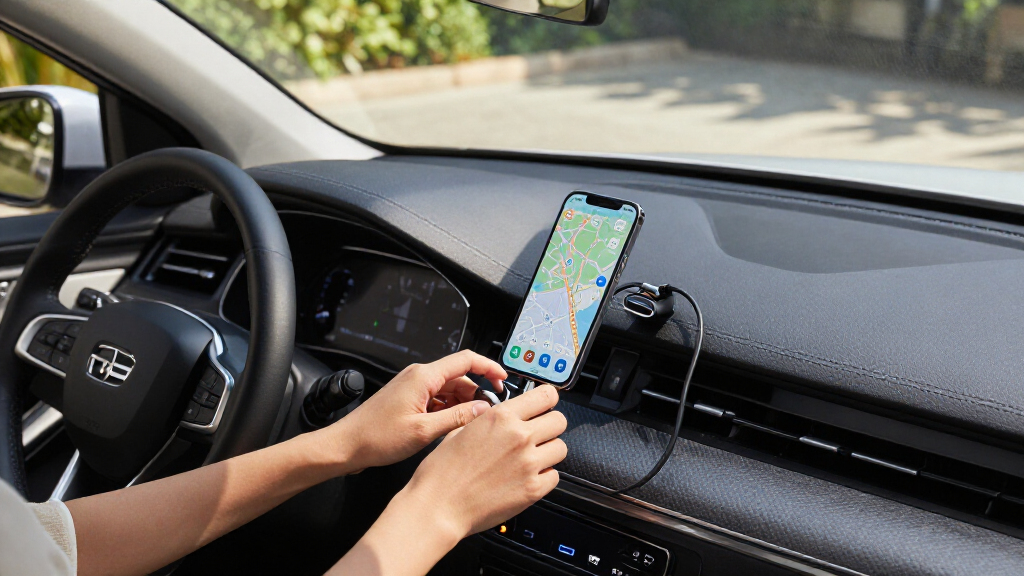
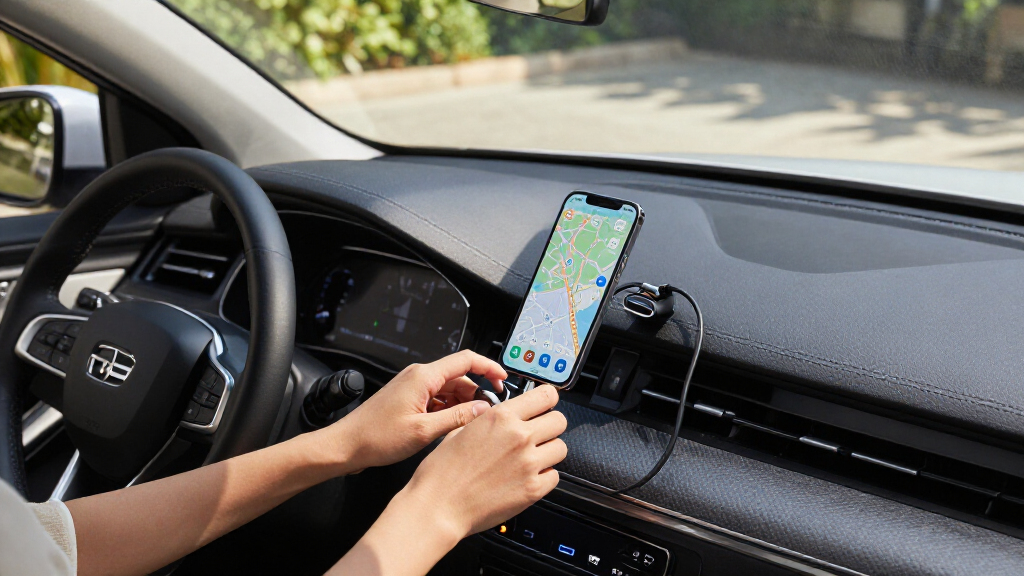
Wireless CarPlay adapters let you connect a compatible iPhone to factory-wired CarPlay without plugging in each trip, but the right choice depends on your car, phone, and tolerance for connection delays. My best overall pick is the OTTOCAST Mini 2-in-1 Wireless CarPlay and Android Auto Adapter for its support for both major phone platforms in a compact format. The Carlinkit Mini Ultra 3 is another standout for shoppers comparing a similarly versatile 2-in-1 option, while the OTTOCAST Mini Slim suits drivers who want a low-profile device. The main tradeoffs are broad phone compatibility versus an iPhone-only design, and a small footprint versus easier access to the adapter’s port. Read on for the full comparison, compatibility checks, and advice on choosing an adapter that fits your setup.

Get business pricing on garage and car supplies
- Business-only prices and quantity discounts
- Tax-exempt purchasing
- Multiple users, one account, clear invoices
Complete the kit


Key Takeaways
2-in-1 support is a defining split: OTTOCAST Mini 2-in-1, Spedal, Carlinkit Mini Ultra 3, Ottocast Mini Cube 3.0, ASSPPIYO, and the general wireless CarPlay and Android Auto adapter are the listed options that address both phone platforms; many others are explicitly iPhone-focused.
Small size does not settle the choice: the OTTOCAST Mini Slim emphasizes a slim profile, while cube-style and mini adapters trade shape and port access differently; check your console layout before favoring the smallest body.
Vehicle compatibility matters more than the adapter label: several listings specify factory-wired CarPlay, so a car with no existing wired CarPlay system may not be a match even if the product name sounds broadly compatible.
Many options are narrowly differentiated: the iPhone-focused Luckyish, Jemluse, Yizro, Oeuiou, Lincisoonic, and wired-to-wireless listings should be compared by confirmed vehicle support and setup details, not color or generic wireless claims alone.
The shortlist rewards clear fit: the most versatile picks support both CarPlay and Android Auto, while the best choice for an iPhone-only household may be a simpler dedicated adapter if its compatibility and connection behavior suit the vehicle.
| OTTOCAST Mini 2-in-1 Wireless CarPlay and Android Auto Adapter |  | Best Overall | Supported platforms: Wireless Apple CarPlay and Android Auto | Phone requirements: iOS 10 or later; Android 11 or later | Vehicle requirement: Factory-wired Apple CarPlay or Android Auto | VIEW LATEST PRICE | See Our Full Breakdown |
| Spedal 2-in-1 Wireless CarPlay and Android Auto Adapter |  | Best for Flexible Placement | Supported platforms: Apple CarPlay and Android Auto | Phone requirements: iOS 10 or later; Android 11 or later | Vehicle requirement: Factory-wired CarPlay or Android Auto; compatible models generally from 2016 onward | VIEW LATEST PRICE | See Our Full Breakdown |
| OTTOCAST Mini Slim 2-in-1 Wireless CarPlay & Android Auto Adapter |  | Best Compact Pick | Supported platforms: Wireless Apple CarPlay and Android Auto | Phone requirements: iPhone 6 or later with iOS 10 or later; Android 11 or later | Vehicle requirement: Vehicles from 2016 onward with wired CarPlay or Android Auto | VIEW LATEST PRICE | See Our Full Breakdown |
| Wireless CarPlay Adapter for Factory-Wired CarPlay Vehicles |  | Best iPhone-Only Choice | Compatibility: Vehicles with factory-installed wired CarPlay | Phone requirements: iPhone 6 or later; iOS 10 or later | Connector: USB Type-A | VIEW LATEST PRICE | See Our Full Breakdown |
| Luckyish Wireless CarPlay Adapter for iPhone, Onyx Black |  | Best for iPhone Drivers Seeking Dual-Band Wi-Fi | Supported platform: Apple CarPlay | Phone requirements: iPhone 6 or later with iOS 10 or later | Vehicle requirement: Factory-wired CarPlay | VIEW LATEST PRICE | See Our Full Breakdown |
| Jemluse Wireless CarPlay Adapter for iPhone, Gray |  | Best for Compact iPhone Setups | Brand and model: Jemluse CTT168-1 | Vehicle compatibility: Factory-wired Apple CarPlay systems | Phone compatibility: iPhone 6 and later; iOS 10 or later | VIEW LATEST PRICE | See Our Full Breakdown |
| Wireless CarPlay Adapter for iPhone, Wired-to-Wireless Conversion |  | Best for Dual-Band Connectivity | Brand: MTALOUYES | Vehicle and phone compatibility: Factory-wired Apple CarPlay; iPhones running iOS 10 or later | Wireless connectivity: Bluetooth 5.3 and dual-band Wi-Fi 6 | VIEW LATEST PRICE | See Our Full Breakdown |
| Yizro Wireless CarPlay Adapter for iPhone |  | Best for a Low-Profile USB-A Fit | Brand and model: Yizro 2026 Wireless CarPlay Adapter | Vehicle compatibility: Factory-wired CarPlay vehicles | Phone compatibility: Eligible iPhones running iOS 10 or later | VIEW LATEST PRICE | See Our Full Breakdown |
| Oeuiou Wireless CarPlay Adapter for iPhone |  | Best for Retaining Factory Controls | Brand and model: Oeuiou U200 | Vehicle compatibility: Vehicles with factory-wired CarPlay | Connectivity: USB, Bluetooth, dual-band 2.4 GHz and 5 GHz Wi-Fi | VIEW LATEST PRICE | See Our Full Breakdown |
| Carlinkit Mini Ultra 3 Wireless CarPlay and Android Auto Adapter |  | Best for iPhone and Android Households | Brand and model: Carlinkit Mini Ultra 3 | Phone compatibility: iPhone 6 or newer with iOS 10 or later; Android 11 or later | Vehicle requirement: Factory-installed wired CarPlay or Android Auto | VIEW LATEST PRICE | See Our Full Breakdown |
| Pluvixa Wireless CarPlay Adapter for Factory-Wired CarPlay (Grey) |  | Best for Straightforward iPhone Setup | Brand: Pluvixa | Color: Grey | Connection: Bluetooth and Wi-Fi | VIEW LATEST PRICE | See Our Full Breakdown |
| Ottocast Mini Cube 3.0 Wireless CarPlay and Android Auto Adapter |  | Best for Shared Cars and Mixed Phones | Brand and model: OTTOCAST CP88 | Dimensions: 0.79 x 0.91 x 0.79 inches | Weight: 8.8 g | VIEW LATEST PRICE | See Our Full Breakdown |
| Lincisoonic Wireless CarPlay Adapter for iPhone |  | Best for Quick Reconnection | Brand and model: Lincisoonic C1 | Wireless connectivity: Bluetooth 5.3; 5.8 GHz Wi-Fi | Compatibility: iPhone with iOS 10 or later; vehicle with wired Apple CarPlay | VIEW LATEST PRICE | See Our Full Breakdown |
| ASSPPIYO 2-in-1 Wireless CarPlay and Android Auto Adapter |  | Best Warranty Coverage | Brand: ASSPPIYO | Device type: Wireless CarPlay and Android Auto adapter | Connectors: USB Type-A and USB Type-C | VIEW LATEST PRICE | See Our Full Breakdown |
| Wireless CarPlay and Android Auto Adapter |  | Best for Newer Wireless Hardware | Compatible systems: Factory-wired Apple CarPlay and Android Auto | Apple compatibility: iPhone 6 or later with iOS 10 or later | Android compatibility: Android smartphones that support Android Auto | VIEW LATEST PRICE | See Our Full Breakdown |
| wireless CarPlay adapter | Warranty |
|---|---|
| OTTOCAST Mini 2-in-1 Wireless | — |
| Spedal 2-in-1 Wireless CarPlay | — |
| OTTOCAST Mini Slim 2-in-1 Wire | 2 years |
| Wireless CarPlay Adapter for F | — |
| Luckyish Wireless CarPlay Adap | 1 year |
| Jemluse Wireless CarPlay Adapt | One year listed; lifetime warranty also mentioned in product details |
| Wireless CarPlay Adapter for i | One year |
| Yizro Wireless CarPlay Adapter | — |
| Oeuiou Wireless CarPlay Adapte | — |
| Carlinkit Mini Ultra 3 Wireles | — |
| Pluvixa Wireless CarPlay Adapt | 356 days |
| Ottocast Mini Cube 3.0 Wireles | 2 years |
| Lincisoonic Wireless CarPlay A | 1 year |
| ASSPPIYO 2-in-1 Wireless CarPl | 3-year manufacturer warranty |
| Wireless CarPlay and Android A | — |
More Details on Our Top Picks
OTTOCAST Mini 2-in-1 Wireless CarPlay and Android Auto Adapter
Broad phone compatibility makes the OTTOCAST Mini a strong default for households that use both iPhones and Android phones. It converts factory-wired CarPlay or Android Auto to wireless, while the Spedal adapter also supports both platforms but connects to only one phone at a time. OTTOCAST stores two recently paired phones and includes a button for switching, which is useful when drivers share a car. Automatic reconnection and plug-and-play setup keep daily use simple, and USB-A and USB-C connections give it a better chance of matching the car’s port. The tradeoff is that it prioritizes the most recently used phone when both are available, so it may not connect to the driver you expect. It also requires existing wired support and excludes BMW and Tesla.
Pros:- Supports wireless Apple CarPlay and Android Auto.
- Stores two recently paired phones and provides a button to switch or disconnect.
- Automatic reconnection and plug-and-play setup reduce routine pairing steps.
- Includes USB-A and USB-C connectors for different vehicle ports.
Cons:- Requires factory-wired CarPlay or Android Auto in the vehicle.
- Not compatible with BMW or Tesla.
- May connect to the most recently used phone when another paired phone is preferred.
Best for: Drivers sharing a compatible car between iPhone and Android users who want automatic reconnection and an option to switch between two phones.
Not ideal for: BMW or Tesla owners, and drivers whose vehicles lack factory-wired CarPlay or Android Auto.
- Supported platforms:Wireless Apple CarPlay and Android Auto
- Phone requirements:iOS 10 or later; Android 11 or later
- Vehicle requirement:Factory-wired Apple CarPlay or Android Auto
- Wireless connection:Bluetooth 5.0 and 5 GHz Wi-Fi
- Connectors:USB 3.0 Type-A and USB 3.0 Type-C
- Multi-phone pairing:Stores two recently connected smartphones
- Setup:Plug and play; approximately 10 seconds
- Exclusions:BMW and Tesla
Our verdict“Choose the OTTOCAST Mini if your compatible car is shared between iPhone and Android users and you want two-phone pairing without giving up automatic reconnection.”
Spedal 2-in-1 Wireless CarPlay and Android Auto Adapter
Included USB-A and USB-C extension cables are the Spedal’s clearest advantage: they give drivers more choice about where the adapter sits, rather than leaving it hanging directly from the car’s port. It converts factory-wired CarPlay or Android Auto to wireless and reconnects automatically after setup. Its Bluetooth 5.4 and Wi-Fi 6 specifications distinguish it from the OTTOCAST Mini, which lists Bluetooth 5.0 and 5 GHz Wi-Fi, although the Spedal’s data does not establish how much that difference will matter in a particular car. This is a practical two-platform pick, but it handles only one phone at a time and does not offer the OTTOCAST’s stored pairing history for two phones. Skip it if you need aftermarket-head-unit support, video playback, or screen mirroring.
Pros:- Converts factory-wired Apple CarPlay and Android Auto to wireless.
- Includes USB-A and USB-C extension cables for more flexible placement.
- Automatically reconnects after initial setup.
- Lists Bluetooth 5.4 and Wi-Fi 6 connectivity.
Cons:- Connects to one phone at a time.
- Requires factory-wired CarPlay or Android Auto and does not support aftermarket head units.
- Does not support BMW, Tesla, video playback, or screen mirroring.
Best for: Drivers with factory-wired CarPlay or Android Auto who want extension cables to position the adapter more neatly around the console.
Not ideal for: Households that regularly switch between multiple phones, owners of BMW or Tesla vehicles, and drivers seeking aftermarket-head-unit or video features.
- Supported platforms:Apple CarPlay and Android Auto
- Phone requirements:iOS 10 or later; Android 11 or later
- Vehicle requirement:Factory-wired CarPlay or Android Auto; compatible models generally from 2016 onward
- Bluetooth:Version 5.4
- Wi-Fi:Wi-Fi 6 (IEEE 802.11ax)
- Cable connectors:USB-A and USB-C extension cables
- Phone connections:One phone at a time
- Unsupported features:Aftermarket head units, video playback, and screen mirroring
Our verdict“Choose the Spedal if cable reach and placement matter more than multi-phone switching or extra media functions.”
OTTOCAST Mini Slim 2-in-1 Wireless CarPlay & Android Auto Adapter
Minimal cabin clutter is the Mini Slim’s defining reason to choose it: at 0.81 x 0.93 x 0.81 inches and 0.04 kg, it is sized to stay unobtrusive near the vehicle’s USB port. It supports both wireless CarPlay and Android Auto, putting it in the same broad-compatibility camp as the OTTOCAST Mini, but its listing specifically highlights dual-band 2.4 GHz and 5 GHz Wi-Fi and continued use of touchscreen, steering-wheel controls, and voice assistants. It also reconnects with up to two paired devices. The tradeoff is a familiar one for this category: the car must already have wired CarPlay or Android Auto, and BMW and Tesla are excluded. It does not add video app playback, so buyers seeking an entertainment adapter should look elsewhere.
Pros:- Very small dimensions help keep the adapter unobtrusive.
- Supports wireless CarPlay and Android Auto.
- Dual-band Wi-Fi supports 2.4 GHz and 5 GHz connections.
- Retains touchscreen, steering-wheel, and voice-assistant controls.
Cons:- Requires existing wired CarPlay or Android Auto.
- Not compatible with BMW or Tesla.
- Streaming apps such as YouTube and Netflix are not supported.
Best for: Drivers who want a very small adapter for a compatible wired CarPlay or Android Auto system and still want to use factory controls.
Not ideal for: BMW and Tesla owners, drivers without wired smartphone integration, or anyone expecting video streaming apps.
- Supported platforms:Wireless Apple CarPlay and Android Auto
- Phone requirements:iPhone 6 or later with iOS 10 or later; Android 11 or later
- Vehicle requirement:Vehicles from 2016 onward with wired CarPlay or Android Auto
- Wi-Fi:Dual-band 2.4 GHz and 5 GHz
- Connectors:USB Type-A and USB Type-C
- Dimensions:0.81 x 0.93 x 0.81 inches
- Weight:0.04 kg
- Warranty:2 years
Our verdict“Choose the Mini Slim when discreet size and retained factory controls matter more than video features.”
Wireless CarPlay Adapter for Factory-Wired CarPlay Vehicles
Focused iPhone compatibility makes this adapter a more straightforward option for drivers who only need wireless CarPlay, not Android Auto. It uses a USB-A connection and Bluetooth pairing, then reconnects when the car starts. Compared with the Luckyish adapter, which lists both USB-A and USB-C connectors and Bluetooth 5.4, this model’s appeal is its metal-and-acrylic casing and stated FCC certification with free lifetime firmware updates. That update policy may suit owners who want an identified support path, though the product data does not specify the wireless standard or update process. The main limitation is fit: it requires factory-installed wired CarPlay, and Android compatibility is not clearly stated. Drivers with USB-C-only needs or Android phones should favor a better-documented alternative.
Pros:- Automatically reconnects when the car starts.
- Metal casing and acrylic surface give the compact adapter a distinct construction.
- FCC certification is specified.
- Free lifetime firmware updates are included.
Cons:- Works only with vehicles that have factory-installed wired CarPlay.
- Android compatibility is not clearly specified.
- Uses USB-A only, limiting fit for setups that require USB-C.
Best for: iPhone owners with factory-wired CarPlay who want a compact USB-A adapter and value stated firmware-update support.
Not ideal for: Android users, drivers whose vehicle lacks factory-installed wired CarPlay, and buyers who need a USB-C connection.
- Compatibility:Vehicles with factory-installed wired CarPlay
- Phone requirements:iPhone 6 or later; iOS 10 or later
- Connector:USB Type-A
- Setup:Plug in and pair via Bluetooth
- Automatic reconnection:Yes; reconnects when the car starts
- Materials:Metal casing and acrylic glass surface
- Certification:FCC
- Firmware updates:Free lifetime updates
Our verdict“Choose this adapter for a factory-wired CarPlay car and an iPhone if its USB-A connection and stated update support suit your setup.”
Luckyish Wireless CarPlay Adapter for iPhone, Onyx Black
iPhone-focused simplicity is the Luckyish adapter’s niche: it converts factory-wired CarPlay to wireless and lists support for iPhone 6 or later with iOS 10 or later. Its Bluetooth 5.4 and dual-band 2.4/5.8 GHz Wi-Fi are more specifically described than the wireless details supplied for the silver USB-A adapter in this lineup. It also claims to retain original audio and vehicle controls, while automatic reconnection handles routine startup. Unlike the OTTOCAST Mini, it does not support Android Auto or advertise paired-phone switching, so it is a narrower choice for mixed-device households. USB-A and USB-C connectors add flexibility, but the single-port design and one-year warranty may matter to buyers weighing long-term support.
Pros:- Supports iPhone 6 or later running iOS 10 or later.
- Lists Bluetooth 5.4 and dual-band 2.4/5.8 GHz Wi-Fi.
- Automatically reconnects after initial setup.
- Includes USB-A and USB-C connectors and a USB-C dongle.
Cons:- Does not list Android Auto compatibility.
- Requires factory-wired CarPlay in the vehicle.
- One-year warranty is shorter than the OTTOCAST Mini Slim’s stated two-year warranty.
Best for: iPhone drivers with factory-wired CarPlay who want dual-band Wi-Fi and compatibility with USB-A or USB-C connections.
Not ideal for: Android users, owners without factory-wired CarPlay, and households that need a clearly specified multi-phone switching feature.
- Supported platform:Apple CarPlay
- Phone requirements:iPhone 6 or later with iOS 10 or later
- Vehicle requirement:Factory-wired CarPlay
- Bluetooth:Version 5.4
- Wi-Fi:Dual-band 2.4 GHz and 5.8 GHz
- Connectors:USB Type-A and USB Type-C
- Included accessory:USB-C dongle
- Warranty:1 year
Our verdict“Choose Luckyish if you use an iPhone, need wireless CarPlay, and want the flexibility of USB-A and USB-C connections.”
Jemluse Wireless CarPlay Adapter for iPhone, Gray
For drivers who want a small, iPhone-only way to remove the CarPlay cable, the Jemluse is a straightforward fit. Its USB-C connector and compact aluminum-alloy body are useful when the console has little room for an adapter, while Bluetooth 5.3 and 5.8 GHz Wi-Fi handle the wireless link. Automatic connection means less routine pairing after the initial setup. Compared with the Carlinkit Mini Ultra 3, Jemluse does not list Android Auto support, so it is less flexible for households that switch between iPhone and Android. Its eight-core processor is listed, but the supplied details do not establish a real-world speed advantage. The main limit is compatibility: it only converts factory-wired CarPlay, and its iPhone requirement rules out Android users. Warranty details also vary between a one-year listing and a lifetime mention.
Pros:- Compact aluminum-alloy body with a matte finish.
- Uses Bluetooth 5.3 and 5.8 GHz Wi-Fi for wireless connection.
- Supports automatic connection after setup.
- Retains wireless access to navigation, music, calls, and Siri.
Cons:- Does not support Android Auto.
- Requires a vehicle with factory-wired Apple CarPlay and an iPhone running iOS 10 or later.
- Warranty information is inconsistent, listing both one year and lifetime coverage.
Best for: iPhone owners with factory-wired CarPlay who want a compact USB-C adapter and automatic reconnection.
Not ideal for: Android users, drivers without factory-wired CarPlay, and buyers who need clearly stated warranty terms.
- Brand and model:Jemluse CTT168-1
- Vehicle compatibility:Factory-wired Apple CarPlay systems
- Phone compatibility:iPhone 6 and later; iOS 10 or later
- Wireless connectivity:5.8 GHz Wi-Fi and Bluetooth 5.3
- Connector:USB Type-C
- Processor:8-core
- Dimensions and weight:2.36 × 0.75 × 0.28 inches; 50 g
- Warranty:One year listed; lifetime warranty also mentioned in product details
Our verdict“Choose Jemluse for a compact iPhone-only setup, but pick the Carlinkit Mini Ultra 3 if Android Auto support matters.”
Wireless CarPlay Adapter for iPhone, Wired-to-Wireless Conversion
The MTALOUYES adapter stands out for pairing Bluetooth 5.3 with dual-band Wi-Fi 6, giving it a more detailed connectivity spec than the simpler Yizro adapter. Once paired, it is designed to reconnect automatically, so the phone can stay in a pocket on routine drives. Its Siri and Google Assistant voice control is another practical point of difference, though the adapter is still limited to iPhone and factory-wired CarPlay; the Google Assistant reference does not mean it supports Android phones. The aluminum-alloy body and tempered-glass surface give it a distinct finish, and the stated operating range suits a broad range of cabin temperatures. Buyers should weigh those specifications against the lack of Android Auto and the USB-A connector, which may require an extra adapter in a USB-C-only vehicle port.
Pros:- Combines Bluetooth 5.3 with dual-band Wi-Fi 6.
- Automatically reconnects after initial pairing.
- Supports Siri and Google Assistant voice commands.
- Aluminum-alloy body and tempered-glass surface.
Cons:- Works only with factory-wired Apple CarPlay and iPhones running iOS 10 or later.
- USB Type-A connector may not suit vehicles with only USB-C ports.
- Does not provide Android Auto conversion.
Best for: iPhone drivers with factory-wired CarPlay who want dual-band Wi-Fi 6 and voice-command support.
Not ideal for: Android phone owners or drivers whose vehicle offers only a USB-C port and no suitable connection arrangement.
- Brand:MTALOUYES
- Vehicle and phone compatibility:Factory-wired Apple CarPlay; iPhones running iOS 10 or later
- Wireless connectivity:Bluetooth 5.3 and dual-band Wi-Fi 6
- Connector:USB Type-A
- Voice control:Siri and Google Assistant
- Materials:Aluminum alloy and tempered glass
- Operating temperature:-20°C to 65°C
- Warranty:One year
Our verdict“Pick MTALOUYES for its dual-band connectivity details and voice control if your car has wired CarPlay and a usable USB-A port.”
Yizro Wireless CarPlay Adapter for iPhone
Yizro’s strongest case is its small, low-profile form: at 1 × 0.4 × 1 inches, it is suited to a console where a larger adapter could get in the way. It reconnects when the car starts and covers the core wireless CarPlay tasks—navigation, music, calls, messages, and Siri. Its metal casing and acrylic surface set it apart from the plastic Oeuiou U200, although the product details do not provide performance data to show that the materials improve connectivity. Yizro also lists free lifetime firmware updates, a useful provision for buyers who value ongoing software support. Compatibility needs careful attention: the description specifies eligible iPhones running iOS 10 or later, despite a title reference to Android. That ambiguity makes it a weaker fit than the Carlinkit Mini Ultra 3 for mixed-platform households.
Pros:- Small dimensions help it fit in a crowded console.
- Automatically reconnects when the car starts.
- Supports navigation, music, calls, messages, and Siri wirelessly.
- Lists free lifetime firmware updates.
Cons:- Requires factory-wired CarPlay and an eligible iPhone running iOS 10 or later.
- The title mentions Android, but the compatibility details specify eligible iPhones.
- USB Type-A connector may not match a vehicle’s available port.
Best for: iPhone drivers with factory-wired CarPlay who need a compact USB-A adapter and want listed lifetime firmware updates.
Not ideal for: Android users, mixed-phone households, or buyers who need unambiguous Android compatibility.
- Brand and model:Yizro 2026 Wireless CarPlay Adapter
- Vehicle compatibility:Factory-wired CarPlay vehicles
- Phone compatibility:Eligible iPhones running iOS 10 or later
- Connector and ports:USB Type-A; 1 port
- Dimensions:1 × 0.4 × 1 inches
- Materials and finish:Metal casing, acrylic surface, matte finish
- Supported functions:Navigation, music, calls, messages, and Siri
- Firmware updates and warranty:Free lifetime firmware updates; one-year warranty
Our verdict“Choose Yizro for a compact iPhone-focused USB-A adapter, but use the Carlinkit Mini Ultra 3 if you need clearly specified Android Auto support.”
Oeuiou Wireless CarPlay Adapter for iPhone
Oeuiou makes sense for drivers whose priority is keeping the car’s familiar controls: it supports the factory touchscreen, steering-wheel buttons, and rotary controls while adding wireless CarPlay. After Bluetooth and Wi-Fi setup, it is designed to pair and reconnect automatically. That control support gives it a clearer role than the Yizro, which emphasizes a smaller body and firmware updates instead. Oeuiou’s USB-C connector and included USB-C adapter offer some connection flexibility, but its plastic enclosure and relatively large listed dimensions make it less discreet than the tiny Carlinkit Mini Ultra 3. It also connects to only one mobile device at a time, which can frustrate households sharing a car. First setup calls for Wi-Fi and Bluetooth to be enabled and not already occupied by another device.
Pros:- Retains factory touchscreen, steering-wheel buttons, and rotary controls.
- Supports automatic pairing and reconnection.
- Includes a USB-C adapter for connection flexibility.
- Offers voice control through the retained factory setup.
Cons:- Connects to only one mobile device at a time.
- First setup requires Wi-Fi and Bluetooth to be available and unused by another device.
- Plastic enclosure and listed dimensions are less discreet than the Carlinkit Mini Ultra 3.
Best for: Drivers who rely on factory touchscreen, steering-wheel, or rotary controls and want to keep using them with wireless CarPlay.
Not ideal for: Households that need multiple phones connected at once or drivers seeking the smallest, lightest adapter.
- Brand and model:Oeuiou U200
- Vehicle compatibility:Vehicles with factory-wired CarPlay
- Connectivity:USB, Bluetooth, dual-band 2.4 GHz and 5 GHz Wi-Fi
- Connector:USB Type-C; USB-C adapter included
- Dimensions:2.95 × 1.02 × 2.64 inches
- Enclosure:Plastic
- Connected devices:One mobile device at a time
- Features:Auto-pairing, automatic reconnection, voice control
Our verdict“Choose Oeuiou if retaining factory controls matters more than sharing the adapter across phones or keeping the hardware nearly invisible.”
Carlinkit Mini Ultra 3 Wireless CarPlay and Android Auto Adapter
The Carlinkit Mini Ultra 3 is the most versatile option in this group for households that switch between phone platforms: it converts factory-wired CarPlay or Android Auto to a wireless connection, while the other four picks are focused on CarPlay. It reconnects to the last paired phone and retains the vehicle’s original controls, microphone, and sound system, which helps preserve the familiar in-car setup. Its 9.07 g, cube-like design is also far smaller and lighter than the listed Oeuiou U200. The tradeoff is strict system compatibility: it needs factory-installed wired CarPlay or Android Auto, cannot add either system or convert between them, and is not compatible with BMW or Tesla. It also does not support video streaming services, so buyers seeking that function should look elsewhere.
Pros:- Supports wireless CarPlay and Android Auto in compatible vehicles.
- Retains steering-wheel buttons, touchscreen, original microphone, and sound system.
- Very light, compact design can be hidden out of sight.
- Automatically reconnects to the last paired phone and supports OTA updates.
Cons:- Requires factory-installed wired CarPlay or Android Auto and cannot add or convert systems.
- Not compatible with BMW or Tesla.
- Does not support video streaming services such as YouTube or Netflix.
Best for: Households with both iPhone and Android users whose vehicle already has factory-wired CarPlay or Android Auto.
Not ideal for: BMW or Tesla owners, drivers without a factory-wired system, or anyone expecting video streaming or cross-conversion between CarPlay and Android Auto.
- Brand and model:Carlinkit Mini Ultra 3
- Phone compatibility:iPhone 6 or newer with iOS 10 or later; Android 11 or later
- Vehicle requirement:Factory-installed wired CarPlay or Android Auto
- Connector:USB-A/USB-C; USB-A to USB-C adapter included
- Dimensions and weight:24.98 × 24.98 × 22.35 mm; 9.07 g
- Power consumption:0.75 W
- Operating temperature:-20°C to 60°C
- Updates and warranty:OTA updates; one-year warranty
Our verdict“Choose the Carlinkit Mini Ultra 3 for mixed iPhone and Android households with a compatible factory-wired system, but skip it if you need system conversion or video.”
Pluvixa Wireless CarPlay Adapter for Factory-Wired CarPlay (Grey)
Pluvixa keeps the job narrow: it turns factory-wired CarPlay into wireless CarPlay, then reconnects automatically after the first pairing. That makes it a sensible fit for iPhone drivers who want to leave the phone cable in the glove box without adding Android Auto features they will not use. It supports navigation, calls, music, Siri, and messaging, while its compact plastic enclosure can be tucked away or mounted out of sight.
Compared with the Ottocast Mini Cube 3.0, Pluvixa is less flexible: it only supports CarPlay and one phone at a time, while Ottocast also handles Android Auto and multiple phones. Pluvixa’s tradeoffs are its vehicle restrictions—no BMW or modified cars—and the need to keep Wi-Fi and Bluetooth enabled without other devices connected to them. Choose it for a simple single-iPhone setup, not a shared or mixed-platform car.
Pros:- Automatically reconnects after initial setup.
- Supports navigation, Siri, calls, music, and messaging.
- Compact body can be hidden or mounted out of the way.
- Removes the need to plug in a phone for each drive.
Cons:- Requires factory-wired CarPlay and excludes BMW and modified cars.
- Supports only one phone at a time.
- Requires Wi-Fi and Bluetooth to stay enabled, with no other devices connected to them.
Best for: Drivers with a compatible, unmodified car and one iPhone who want wireless CarPlay without Android Auto extras.
Not ideal for: BMW owners, drivers of modified vehicles, and households that need Android Auto or quick switching between phones.
- Brand:Pluvixa
- Color:Grey
- Connection:Bluetooth and Wi-Fi
- Compatibility:Vehicles with factory-wired CarPlay; iOS 10 or later
- Phone connection limit:One phone at a time
- Installation:External, plug-and-play adapter
- Enclosure material:Plastic
- Warranty:356 days
Our verdict“Choose Pluvixa if one iPhone is all you need to connect in a compatible factory-wired CarPlay car.”
Ottocast Mini Cube 3.0 Wireless CarPlay and Android Auto Adapter
Ottocast Mini Cube 3.0 earns its place through flexibility. It converts a compatible wired CarPlay or Android Auto system, so households with iPhones and Android phones can use the same adapter. Support for switching between multiple phones is especially useful in a shared car, unlike the Pluvixa, which is limited to one connected phone at a time. Automatic reconnection also cuts down on repeated pairing once setup is complete.
The tiny USB-A and USB-C options help it fit more dashboard ports, and 5 GHz Wi-Fi handles the wireless link. The compromise is that the vehicle must already support wired CarPlay or Android Auto; this will not add either system to a car that lacks it. It is also incompatible with BMW and Tesla. Compared with the iPhone-only Lincisoonic C1, Ottocast is the better household pick, though its Bluetooth 4.2 specification is older than Lincisoonic’s Bluetooth 5.3.
Pros:- Supports both wireless CarPlay and wireless Android Auto.
- Allows switching between multiple phones.
- Includes USB-A and USB-C connectivity.
- Compact 8.8 g design and automatic reconnection simplify daily use.
Cons:- Does not work with BMW or Tesla vehicles.
- Requires existing wired CarPlay or Android Auto support.
- Uses Bluetooth 4.2 rather than the newer Bluetooth 5.3 listed for the Lincisoonic C1.
Best for: Households sharing a compatible car between iPhone and Android users, especially when more than one phone needs to pair.
Not ideal for: BMW or Tesla owners, or drivers whose vehicle has no factory-wired CarPlay or Android Auto.
- Brand and model:OTTOCAST CP88
- Dimensions:0.79 x 0.91 x 0.79 inches
- Weight:8.8 g
- Wireless connectivity:5 GHz Wi-Fi; Bluetooth 4.2
- Ports:USB-A and USB-C
- Compatibility:Vehicles with wired CarPlay or Android Auto; iOS 10+ and Android 11+
- Phone switching:Supports switching between multiple phones
- Warranty:2 years
Our verdict“Pick the Mini Cube 3.0 for a shared compatible car where both iPhone and Android drivers need wireless access.”
Lincisoonic Wireless CarPlay Adapter for iPhone
Lincisoonic is the speed-focused iPhone pick in this group. Its stated initial connection time is 5–10 seconds, with automatic reconnection in about three seconds, which can make the wait to resume CarPlay less noticeable on regular short trips. Bluetooth 5.3 and 5.8 GHz Wi-Fi provide the connection, while included USB-A and USB-C options address different car ports without making this an Android Auto adapter.
Compared with the Pluvixa, Lincisoonic offers a more specific reconnection-time claim and free lifetime firmware updates; Pluvixa, by contrast, lists a 356-day warranty. The limitation is platform and vehicle fit: it requires an iPhone running iOS 10 or later and factory-wired CarPlay. Drivers who need Android Auto or multi-platform sharing should look to the ASSPPIYO 2-in-1 instead. Its compact form and update support suit iPhone drivers, but do not remove the wired-CarPlay requirement.
Pros:- Specifies initial connection in 5–10 seconds and reconnection in about three seconds.
- Uses Bluetooth 5.3 and 5.8 GHz Wi-Fi.
- Includes USB-A and USB-C connection options.
- Offers free lifetime firmware updates.
Cons:- Works with iPhone and wired Apple CarPlay only.
- Requires Wi-Fi and Bluetooth to be enabled on the phone.
- Does not offer the Android Auto support found in the ASSPPIYO 2-in-1.
Best for: iPhone drivers with factory-wired CarPlay who value quick automatic reconnection and ongoing firmware support.
Not ideal for: Android users or drivers whose vehicles do not already have wired Apple CarPlay.
- Brand and model:Lincisoonic C1
- Wireless connectivity:Bluetooth 5.3; 5.8 GHz Wi-Fi
- Compatibility:iPhone with iOS 10 or later; vehicle with wired Apple CarPlay
- Ports:USB-A and USB-C
- Initial connection time:5–10 seconds
- Automatic reconnection time:About 3 seconds
- Firmware updates:Free lifetime updates
- Warranty:1 year
Our verdict“Choose Lincisoonic if you use an iPhone, already have wired CarPlay, and prioritize the stated quick-reconnect times.”
ASSPPIYO 2-in-1 Wireless CarPlay and Android Auto Adapter
ASSPPIYO stands out for its three-year manufacturer warranty and support for both wireless CarPlay and Android Auto. That combination suits drivers who want a cross-platform adapter and place extra weight on coverage after purchase. USB-A and USB-C connectors help it work with different factory data ports, while dual-band 2.4 GHz and 5 GHz Wi-Fi gives it a broader wireless specification than the single-band details listed for the Wireless CarPlay and Android Auto Adapter.
Like the Ottocast Mini Cube 3.0, it can serve a car used by Apple and Android phone owners, and both reconnect automatically after pairing. ASSPPIYO’s listed data does not specify multi-phone switching or connection times, so I would not choose it on those points over Ottocast or the Lincisoonic C1. It still depends on factory-wired CarPlay or Android Auto, with iOS 10+ or Android 11+ phones; it cannot retrofit a car lacking those systems.
Pros:- Supports both wireless CarPlay and Android Auto.
- Offers USB-A and USB-C connectors.
- Dual-band Wi-Fi supports 2.4 GHz and 5 GHz.
- Includes a three-year manufacturer warranty and automatic reconnection.
Cons:- Requires a vehicle with factory-wired CarPlay or Android Auto.
- Requires iOS 10 or later for iPhone or Android 11 or later for Android.
- The product data does not specify multi-phone switching or reconnection speed.
Best for: Cross-platform households seeking one adapter for compatible iPhones and Android phones, with a longer stated warranty.
Not ideal for: Drivers who need a confirmed multi-phone switching feature, or whose vehicle lacks factory-wired CarPlay or Android Auto.
- Brand:ASSPPIYO
- Device type:Wireless CarPlay and Android Auto adapter
- Connectors:USB Type-A and USB Type-C
- Wi-Fi:Dual-band 2.4 GHz and 5 GHz
- Phone compatibility:iPhone with iOS 10 or later; Android with Android 11 or later
- Vehicle compatibility:Vehicles with factory-wired CarPlay or Android Auto
- Automatic reconnection:Supported after initial pairing
- Warranty:3-year manufacturer warranty
Our verdict“Choose ASSPPIYO if you need CarPlay and Android Auto support and value its stated three-year warranty over speed or switching details.”
Wireless CarPlay and Android Auto Adapter
This adapter pairs Bluetooth 5.4 with Wi-Fi 6 for wireless access to factory-wired CarPlay and Android Auto. Its appeal is the stated connection hardware alongside plug-and-play setup: it uses a car’s USB-A or USB-C data port, then reconnects to a paired phone when the vehicle starts. It keeps navigation, music, calls, and voice assistants available without repeated cable connection, while the compact gunmetal-gray body is easy to carry between compatible cars.
Compared with the ASSPPIYO 2-in-1, this model lists newer wireless standards, while ASSPPIYO offers a specified three-year warranty and dual-band Wi-Fi. The Ottocast Mini Cube 3.0 is a stronger fit for households that need confirmed phone switching; switching support is not specified here. Compatibility still depends on the car’s existing system and the phone’s support for the relevant platform. It is not a way to add CarPlay or Android Auto to an unequipped vehicle.
Pros:- Lists Wi-Fi 6 and Bluetooth 5.4 for wireless connectivity.
- Supports factory-wired CarPlay and Android Auto.
- USB-A and USB-C connectors fit different data ports.
- Automatically reconnects and needs no extra software or stereo disassembly.
Cons:- Requires the vehicle to already support factory-wired CarPlay or Android Auto.
- The supplied specifications do not state a warranty or multi-phone switching support.
- Android compatibility depends on the phone supporting Android Auto.
Best for: Drivers with compatible wired CarPlay or Android Auto who want USB-A/USB-C flexibility and the listed Wi-Fi 6 and Bluetooth 5.4 hardware.
Not ideal for: Buyers who need a stated multi-phone switching feature, Android Auto support guarantees for a specific model, or a listed warranty.
- Compatible systems:Factory-wired Apple CarPlay and Android Auto
- Apple compatibility:iPhone 6 or later with iOS 10 or later
- Android compatibility:Android smartphones that support Android Auto
- Connectors:USB Type-A and USB Type-C
- Wireless transmission:5 GHz Wi-Fi
- Wi-Fi standard:Wi-Fi 6
- Bluetooth version:Bluetooth 5.4
- Color:Gunmetal gray
Our verdict“Pick this model for its specified Wi-Fi 6 and Bluetooth 5.4 hardware, provided your car and phone already support the relevant system.”
How We Picked
I ranked these 15 wireless CarPlay adapters around the factors that most affect daily use: whether a listing supports CarPlay alone or both CarPlay and Android Auto, whether it identifies factory-wired CarPlay as a requirement, and whether its form factor is likely to suit a crowded console. Clear platform and vehicle fit earned more weight than broad claims or cosmetic differences. I also looked at the practical consequences of a compact, slim, or cube-shaped design, including how placement and access to the connection port can affect installation.
The ranking favors options with a clearly stated use case and broader household flexibility, which puts the OTTOCAST Mini 2-in-1 first, followed by similarly versatile adapters and then models with a more specific form factor or iPhone-only focus. Names alone do not prove connection speed, reliability, or compatibility, so I avoid treating unspecified performance claims as established facts. Before buying any pick, verify the exact vehicle year and trim, factory CarPlay support, phone operating system, and return terms.
Factors to Consider When Choosing Wireless CarPlay Adapters
Choose a wireless adapter only after confirming that your car already supports wired CarPlay; these devices typically convert an existing connection rather than add CarPlay to a vehicle that lacks it. Then narrow the field by phone platform, console layout, and the kind of everyday convenience you want.
Confirm Your Car Has Factory-Wired CarPlay
Most wireless CarPlay adapters depend on the car’s existing wired CarPlay system, so a USB port by itself is not proof of compatibility. Check the vehicle manual or the manufacturer’s equipment information for the exact year and trim, since features can vary within one model line. If the car has no factory CarPlay, an adapter designed for wired-to-wireless conversion is unlikely to add the missing system. Also check which USB port carries CarPlay; some vehicles provide charging-only ports alongside the data port. This quick check can prevent buying an adapter that pairs with your phone but cannot communicate with the head unit.
Match the Adapter to Every Phone That Will Use the Car
An iPhone-only adapter can be a sensible fit for a household that uses only iPhones, but it may become a limitation when a driver changes phones or shares the car with an Android user. The listed 2-in-1 models offer broader platform coverage, though you should confirm the exact phone and operating-system requirements for the specific product. Do not assume that “2-in-1” means both systems can connect at once; it generally describes support for either platform. If multiple drivers share one vehicle, check how the adapter handles switching between paired phones. A little extra platform flexibility can matter more over the life of the car than a minor difference in adapter shape.
Think About Placement, Port Access, and Heat
A compact adapter can reduce clutter, but the smallest body is not automatically the best fit if it blocks a neighboring port or is difficult to remove. Compare the device shape with the location of your car’s USB socket and nearby storage, cables, or controls. A short extension cable may help reposition an adapter, though it can add another connection point and more visible wiring. Avoid placing electronics where they can be crushed, kicked, or exposed to direct heat. For a tight console, prioritize a design that can sit securely and leave the remaining ports usable.
Set Realistic Expectations for Wireless Connection Behavior
Wireless convenience introduces a connection process that wired use does not require, so startup time and reconnect behavior can affect how seamless the change feels. Product names and feature labels do not establish how quickly a particular adapter reconnects in your car. Look for clear information about pairing steps, automatic reconnection, and how to reset the device if it stops connecting. If you rely on CarPlay for short trips, even a brief wait may matter more than it would on a long commute. Keep the option of plugging in directly if you need the most predictable connection every time.
Compare Setup and Support, Not Just the First Pairing
Initial pairing is only part of ownership; a useful setup should also make it clear how to remove an old phone, pair a second driver, and recover from a failed connection. Read the supplied instructions and support information before purchase, especially when the listing gives little detail about troubleshooting. Check whether the adapter needs firmware updates and how those updates are handled, since update steps can add friction for less technical drivers. Keep the original cable and note which port worked during setup. A device with a straightforward recovery path may be a better daily fit than one with more platform claims but vague support.
Decide When a More Versatile Model Is Worth It
A 2-in-1 adapter can justify its extra flexibility when drivers in the same car use different phone platforms or may change devices later. If every regular driver uses an iPhone and the vehicle fit is confirmed, an iPhone-focused adapter may meet the need without paying for an unused capability. Do not treat a “premium” label as proof of faster connections or stronger reliability when those details are not clearly documented. Instead, pay for specific benefits you can verify, such as confirmed vehicle compatibility, useful setup guidance, or a form factor that suits your console. The best value is the model that works with your car and household, not the one with the longest feature list.
Frequently Asked Questions
Will a wireless CarPlay adapter work in a car that does not already have CarPlay?
Usually not: these adapters are generally made to convert factory-wired CarPlay to a wireless connection, not to add CarPlay to an unsupported head unit. A USB socket may provide power without supporting the data connection CarPlay needs. Confirm the exact year and trim in your vehicle documentation before choosing a model. If your car lacks wired CarPlay, look for a compatible aftermarket head unit or another solution designed to add the system. Check the adapter’s own compatibility details rather than relying on a broad product title.
Can one adapter serve both an iPhone and an Android phone?
Only models that explicitly support both CarPlay and Android Auto are intended to cover those two phone platforms. Several adapters in this roundup are labeled for iPhone, so they are not the safe choice for an Android user. A 2-in-1 label means the device supports both systems, not necessarily simultaneous connections or instant switching. Check the instructions for how it selects between paired phones, especially if several drivers share the car. Verify that both the phone software and vehicle setup meet the product’s requirements.
Will wireless CarPlay work as reliably as a wired connection?
Wireless operation removes the need to plug in, but it adds a wireless link and a startup pairing process, so it may not behave exactly like a cable. Reconnection speed and stability can vary with the adapter, phone, vehicle head unit, and surrounding wireless conditions. Product names alone do not establish real-world performance in your specific car. If uninterrupted access matters more than convenience, keep a wired connection available as a fallback. Review the product’s troubleshooting guidance and return policy in case your vehicle combination is not a good match.
Should I choose an iPhone-only adapter or a 2-in-1 model?
Choose based on the phones that will actually use the vehicle, not only the phone you own today. An iPhone-only adapter can be a straightforward match for an iPhone-only household, while a 2-in-1 model makes more sense when drivers use different platforms or may switch later. Confirm that the specific adapter supports the relevant operating systems; a generic wireless label is not enough. Also check whether changing drivers requires manual reconnection or a settings adjustment. Broader support is useful only if the rest of the setup fits your vehicle.
What should I check before buying if my car has several USB ports?
Find the port that carries data and supports factory CarPlay; other ports may only charge devices. The vehicle manual, head-unit settings, or a direct wired CarPlay check can help identify it. Then confirm that the adapter’s connector fits without obstructing nearby ports or storage. If access is cramped, consider how the adapter’s shape will sit once connected rather than choosing by dimensions alone. Test the setup before removing packaging so you can act within the seller’s return window if the car does not recognize it.
Conclusion
For the broadest fit across phone platforms, my best overall recommendation is the OTTOCAST Mini 2-in-1; the Carlinkit Mini Ultra 3 is another 2-in-1 option to compare. For best value, start with the Spedal 2-in-1 if you need both platforms, or a clearly compatible iPhone-only model if you do not. The best premium choice is the option whose documented compatibility and support justify its added cost—do not pay extra based on a label alone. For beginners, favor the adapter with the clearest setup and recovery instructions, then confirm your car’s wired CarPlay support before ordering. For a specific need, choose the OTTOCAST Mini Slim for a low-profile form factor, or a 2-in-1 model for mixed-phone households; drivers without factory-wired CarPlay should skip this category and seek a solution built to add CarPlay.
Black Friday Picks

Sony WH-1000XM6 Wireless Noise-Canceling Headphones, Black
As an affiliate, we earn on qualifying purchases.