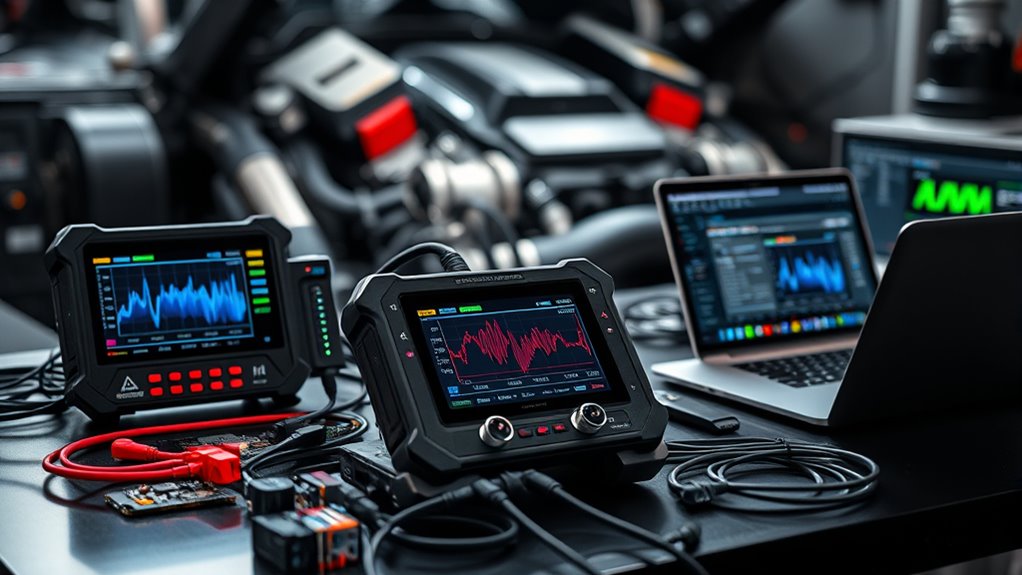

When it comes to ECU flash tools, the key considerations are performance, versatility, and ease of use. The best overall pick, the TOPDON Phoenix Plus, offers comprehensive ECU coding with bi-directional controls suitable for professional workshops. For DIY enthusiasts, the Dan&Dre Tactrix OpenPort 2.0 provides reliable tuning for Subaru and Mitsubishi models at an accessible price. Meanwhile, high-end professionals may lean toward the Autel MaxiSYS Ultra S2 for its advanced diagnostics and extensive vehicle coverage. The main tradeoffs involve balancing features with complexity and cost—more capable tools tend to be more expensive and complex to operate. Keep reading for a detailed breakdown of each option to find your perfect match.

Get business pricing on garage and car supplies
- Business-only prices and quantity discounts
- Tax-exempt purchasing
- Multiple users, one account, clear invoices
Complete the kit


Key Takeaways
- The top picks balance advanced diagnostic capabilities with user-friendly interfaces, catering to both professionals and hobbyists.
- Wireless and bidirectional tools offer faster, more flexible ECU reprogramming, but often come at higher prices.
- Compatibility ranges from specific brands like Subaru and Mitsubishi to universal tools supporting 17+ vehicle makes, impacting choice based on vehicle portfolio.
- Tools offering ECU coding and read/write functions generally provide more control but can be more complex to operate correctly.
- Price and complexity are inversely related; consider your expertise and budget when choosing between comprehensive and simplified tools.
| Autel MaxiSYS Ultra S2 Professional Diagnostic Scanner with 6-in-1 VCMI2 |  | Best Overall for Advanced Diagnostics and Versatility | Display: 13.7-inch anti-glare touchscreen | Processor: 2.7GHz octa-core | Storage: 512GB | VIEW ON AMAZON | See Our Full Breakdown |
| TOPDON RLink J2534 Reprogramming Tool, High-Speed Pass-Thru Programmer for 17+ Vehicle Brands |  | Best for OEM-Level Reprogramming and Wide Vehicle Coverage | Protocols Supported: J2534, D-PDU, CAN-FD, DoIP | Vehicle Coverage: 17+ brands including Chrysler, Ford, GM | Connectivity: High-Speed USB-C, USB 2.0 | VIEW ON AMAZON | See Our Full Breakdown |
| Dan&Dre Tactrix OpenPort 2.0 Tuning Tool for Subaru and Mitsubishi |  | Best for ECU Tuning and Data Logging for Subaru and Mitsubishi | Compatibility: Subaru, Mitsubishi, Jaguar, Land Rover | Protocols Supported: CAN 2.0, K-line | Connectivity: USB 2.0 | VIEW ON AMAZON | See Our Full Breakdown |
| TOPDON Phoenix Plus 2 OE-Level Automotive Scanner with ECU Coding and Bi-Directional Control |  | Best for OE-Level Diagnostics and Module Replacement | Connectivity: Wi-Fi, Bluetooth | Supported Protocols: OBD1, OBD2 | Update Period: 2 years free updates | VIEW ON AMAZON | See Our Full Breakdown |
| TOPDON Phoenix XLink Scan Tool, ECU Programming & Diagnostics, Bi-Directional Scanner, 41+ Functions, 2 Years Free Updates |  | Best for Professional ECU Programming and Diagnostics | Power Source: Battery Powered | Operating System: Android 10.0 | Screen Size: 10.1 Inches | VIEW ON AMAZON | See Our Full Breakdown |
| XTOOL D8W Wireless Bidirectional Scan Tool with AI-Assisted OBD2 Diagnostics |  | Best Overall for Professional-Grade Wireless Diagnostics | Connectivity: Wi-Fi | Hardware: 64 GB high-end hardware | Transmission Speed: 64 Mbps | VIEW ON AMAZON | See Our Full Breakdown |
| TOPDON ONE Bidirectional Scan Tool, 10.1″ Professional Diagnostic Device |  | Best for Technicians Needing Touchscreen and Extensive Service Functions | Display: 10.1-inch touchscreen | Connectivity: Dual WiFi | Protocols Supported: CAN-FD, DoIP | VIEW ON AMAZON | See Our Full Breakdown |
| SM2 PRO J2534 V2.21.22 ECU Programmer – 67 in 1 OBD2 Diagnostic Tool with Bench Mode |  | Best for Advanced ECU Tuning and Protocol Support | Hardware Version: V2.21.22 | Protocols Supported: 67 modules including Bosch MED/EDC17, VAG Simos, FCA GPEC | Modes: Bench, OBD, Boot | VIEW ON AMAZON | See Our Full Breakdown |
| XTOOL D7 Bidirectional Scan Tool, 39+ Resets, ECU Coding OBD2 Scanner |  | Best for Active Testing and Broad Vehicle Coverage | Storage: 64GB | Battery: 5000mAh with 2500mAh fast-charging | Protocols Supported: FCA, CAN FD, DOIP | VIEW ON AMAZON | See Our Full Breakdown |
| ECU Programmer Tool with Read/Write Function for Automotive Diagnostics |  | Best for Basic ECU Data Management and Maintenance | Functionality: Read, Write, Backup, Restore | Compatibility: Automotive ECUs | Connectivity: USB and various adapters | VIEW ON AMAZON | See Our Full Breakdown |
| TOPDON Scanner Phoenix XLink 2026 Diagnostic & Coding Scan Tool |  | Best for Advanced Multi-System Diagnostics and ECU Coding | Protocol Support: CAN-BUS, DOIP, CAN FD, FCA | Display: 10.1-inch | Memory: 128GB | VIEW ON AMAZON | See Our Full Breakdown |
| XTOOL IP919 PRO V2.0 ECU Programming Scan Tool, Topology Mapping, Bidirectional Control, 51+ Reset Functions, Automotive ADAS Scanner for Car |  | Best for Vehicle-Wide Coverage and User-Friendly Operation | Display: 10.1-inch sunlight-readable touchscreen, 1920×1200 | Processor: 8-core processor | Storage: 8GB RAM + 128GB | VIEW ON AMAZON | See Our Full Breakdown |
| TOPDON RLink J2534 Pass-Thru Programmer, OEM Reprogramming and Diagnostic Tool |  | Best for OEM-Level ECU Reprogramming and Multi-Brand Support | Protocols Supported: J2534, D-PDU, CAN-FD, DoIP | Vehicle Compatibility: Over 18 brands including Chrysler, Ford, GM, Nissan, Toyota, Honda, and more | Connectivity: Type-C cable | VIEW ON AMAZON | See Our Full Breakdown |
| ecu flash tool | Connectivity |
|---|---|
| Autel MaxiSYS Ultra S2 Profess | — |
| TOPDON RLink J2534 Reprogrammi | High-Speed USB-C, USB 2.0 |
| Dan&Dre Tactrix OpenPort 2.0 T | USB 2.0 |
| TOPDON Phoenix Plus 2 OE-Level | Wi-Fi, Bluetooth |
| TOPDON Phoenix XLink Scan Tool | — |
| XTOOL D8W Wireless Bidirection | Wi-Fi |
| TOPDON ONE Bidirectional Scan | Dual WiFi |
| SM2 PRO J2534 V2.21.22 ECU Pro | — |
| XTOOL D7 Bidirectional Scan To | — |
| ECU Programmer Tool with Read/ | USB and various adapters |
| TOPDON Scanner Phoenix XLink 2 | Wi-Fi (not Bluetooth) |
| XTOOL IP919 PRO V2.0 ECU Progr | Wi-Fi and wired, range 1 to 280+ feet |
| TOPDON RLink J2534 Pass-Thru P | Type-C cable |
More Details on Our Top Picks
Autel MaxiSYS Ultra S2 Professional Diagnostic Scanner with 6-in-1 VCMI2
This high-end diagnostic scanner stands out for its powerful hardware and extensive features, making it suitable for professional workshops handling complex repairs. Its 13.7-inch anti-glare touchscreen, octa-core processor, and 512GB storage deliver rapid, comprehensive diagnostics across all vehicle types, including electric vehicles. Unlike the TOPDON Phoenix Plus 2, it integrates AI tools and network visualization, providing a more streamlined workflow. However, its complex interface can overwhelm newcomers, and its high cost makes it less accessible for small-scale or hobbyist users. The bulky design also limits portability.
Compared with the TOPDON Phoenix Plus 2, this model offers greater processing power and storage but at the expense of simplicity and portability. It’s best for large workshops or technicians who need all-in-one capabilities without compromise.
Pros:- Powerful octa-core processor with fast performance
- Extensive 512GB storage for large data files
- Supports electric vehicle diagnostics and advanced network visualization
- AI-powered inspection tools enhance workflow
Cons:- High purchase cost may be prohibitive for small shops
- Heavy and bulky, limiting portability
- Interface complexity requires training for new users
Best for: Professional automotive technicians and large repair shops needing a comprehensive diagnostic and coding platform.
Not ideal for: Hobbyists or small workshops with limited budgets and less need for electric vehicle diagnostics.
- Display:13.7-inch anti-glare touchscreen
- Processor:2.7GHz octa-core
- Storage:512GB
- Operating System:Android 13.0
- Vehicle Compatibility:All vehicle types including electric vehicles
- Service Functions:48+
Our verdict“This tool is best suited for professional environments that demand top-tier diagnostic power and extensive features.”
TOPDON RLink J2534 Reprogramming Tool, High-Speed Pass-Thru Programmer for 17+ Vehicle Brands
The TOPDON RLink J2534 excels in OEM-level ECU programming and diagnostics, supporting protocols like DoIP and CAN FD, making it ideal for technicians who need reliable reprogramming across many brands. It compares favorably to the Dan&Dre Tactrix OpenPort 2.0 by supporting more vehicle brands and advanced protocols, though it requires a Windows PC and software purchases for brand-specific functions. Its portability and multiple cables make it flexible for on-the-go use, but the need for separate software purchases and technical know-how can be hurdles for less experienced users.
Compared with the Dan&Dre Tactrix, it offers broader coverage and protocol support, but at a higher complexity level. It’s best for professional reprogrammers and repair shops handling multiple vehicle brands.
Pros:- Supports all major J2534 protocols including DoIP and CAN FD
- Compatible with over 17 vehicle brands for broad coverage
- User-friendly platform with lifetime free updates
- Portable with multiple cables and storage case
Cons:- OEM-specific software must be purchased separately
- Requires a Windows PC to operate
- Advanced features may need technical expertise
Best for: Automotive technicians specializing in ECU reprogramming across diverse vehicle brands.
Not ideal for: Casual DIY enthusiasts or hobbyists who require simple diagnostics without extensive programming capabilities.
- Protocols Supported:J2534, D-PDU, CAN-FD, DoIP
- Vehicle Coverage:17+ brands including Chrysler, Ford, GM
- Connectivity:High-Speed USB-C, USB 2.0
- Compatibility:Windows 7/8/10/11 (64-bit)
- Included Accessories:USB-C Cable, OBDII Extension, Storage Case
Our verdict“This tool is ideal for professional reprogrammers seeking broad vehicle coverage and OEM-level capabilities.”
Dan&Dre Tactrix OpenPort 2.0 Tuning Tool for Subaru and Mitsubishi
The Dan&Dre Tactrix OpenPort 2.0 is tailored for enthusiasts and tuners focusing on Subaru and Mitsubishi vehicles. It supports major OBD protocols, allowing for standalone data logging and ECU reflashing with compatible software. Compared to more comprehensive diagnostic tools like the TOPDON Phoenix Plus 2, it’s more limited in scope but excels in custom tuning and ECU modifications. Its USB 2.0 connection and support for standalone data logs make it suitable for users comfortable with software setup, although some vehicle models or software applications may not be fully supported, and setup can be technical.
This device is best for users who want specific tuning capabilities and are willing to handle a steeper learning curve, rather than those seeking an all-in-one diagnostic platform.
Pros:- Supports multiple vehicle brands including Subaru and Mitsubishi
- Allows standalone data logging without a laptop
- Supports ECU reflashing with compatible software
- Affordable for hobbyists and tuners
Cons:- Limited support for some vehicle models
- Requires technical setup and software installation
- Not suitable for broader diagnostic tasks
Best for: Tuning enthusiasts and professionals working specifically on Subaru or Mitsubishi ECUs.
Not ideal for: Casual DIYers or those needing diagnostics beyond Subaru and Mitsubishi platforms.
- Compatibility:Subaru, Mitsubishi, Jaguar, Land Rover
- Protocols Supported:CAN 2.0, K-line
- Connectivity:USB 2.0
- Features:Standalone data logs, ECU reflashing
Our verdict“This tool makes the most sense for dedicated tuners focusing on Subaru and Mitsubishi ECUs who are comfortable with software configuration.”
TOPDON Phoenix Plus 2 OE-Level Automotive Scanner with ECU Coding and Bi-Directional Control
The TOPDON Phoenix Plus 2 is designed for professional workshops requiring comprehensive OE-level diagnostics, ECU coding, and bi-directional control. Its support for over 42 reset services and full system diagnostics across ECM, TCM, ABS, and other modules make it a versatile tool for complex repairs. While its extensive capabilities outperform simpler scanners like the Dan&Dre Tactrix for general tuning, its complex setup and high price may deter hobbyists. The device’s offline programming and two-year free updates add to its appeal, but the setup process can be technical, and durability details are limited.
Compared to the TOPDON RLink, it offers more advanced coding and control features but requires more familiarity with automotive electronics. It’s best suited for professional technicians working on complex module replacements and system calibrations.
Pros:- Supports OE-level diagnostics and coding
- Includes over 42 reset and service functions
- Bi-directional control for real-time testing
- Two years of free updates
Cons:- Complex setup requires technical expertise
- High price limits accessibility for hobbyists
- Durability and battery details are limited
Best for: Professional auto repair shops needing advanced ECU coding, diagnostics, and module control.
Not ideal for: Casual DIYers or hobbyists needing basic diagnostics, due to its complexity and cost.
- Connectivity:Wi-Fi, Bluetooth
- Supported Protocols:OBD1, OBD2
- Update Period:2 years free updates
- Supported Vehicles:Benz, BMW, GM, Ford, Porsche, Toyota
- Reset Services:AdBlue, ABS, Oil, SAS, EPB, TPMS, BMS
Our verdict“This device is best for professional technicians who need advanced system control and coding capabilities.”
TOPDON Phoenix XLink Scan Tool, ECU Programming & Diagnostics, Bi-Directional Scanner, 41+ Functions, 2 Years Free Updates
The TOPDON Phoenix XLink combines ECU programming, diagnostics, and bi-directional control in a user-friendly package with a 10.1-inch touchscreen. Its support for online ECU coding and extensive maintenance functions makes it a strong choice for techs needing flexibility in repairs and module programming. While it offers a straightforward interface, it lacks Bluetooth, requiring wired connections, which can limit mobility. Compared to the more complex TOPDON Phoenix Plus 2, it simplifies some features but still provides two years of free updates and remote support, making it suitable for professional use. Its size and interface are geared toward users who prefer a balance of power and ease of operation.
This pick makes the most sense for technicians seeking a combination of ECU coding and diagnostic functions without overly complex setup.
Pros:- Supports online ECU coding and extensive diagnostic functions
- User-friendly 10.1-inch high-res touchscreen
- Includes 41+ maintenance functions
- Two years of free updates and remote support
Cons:- No Bluetooth connectivity, wired only
- Size may limit portability
- Primarily aimed at professional users, not casual DIYers
Best for: Professional automotive technicians who need reliable ECU coding and bidirectional testing with a user-friendly device.
Not ideal for: Casual users or hobbyists who prefer wireless or portable tools for simple diagnostics.
- Power Source:Battery Powered
- Operating System:Android 10.0
- Screen Size:10.1 Inches
- Resolution:1280×800
- Warranty:2 Years Free Updates
Our verdict“This device offers a solid balance of ECU programming and diagnostics for professional users seeking ease of use.”
XTOOL D8W Wireless Bidirectional Scan Tool with AI-Assisted OBD2 Diagnostics
The XTOOL D8W stands out for its seamless wireless connectivity combined with advanced AI-assisted diagnostics, making it a top pick for professional mechanics. Unlike traditional wired scanners, its Wi-Fi connection offers fast, stable data transfer, enabling quick system scans across multiple vehicle systems. Its support for over 88 brands and 140+ models means broad vehicle coverage, comparable to high-end dealership tools, but at a more accessible price point. However, compatibility issues can arise without VIN verification, and complex features may challenge beginners. Notably, it does not support 24V trucks, limiting its scope for heavy-duty applications. This device suits technicians and experienced enthusiasts who prioritize speed and comprehensive diagnostics but need to verify vehicle compatibility first.
Pros:- Wireless Wi-Fi connection provides fast, stable connectivity
- Supports extensive diagnostic functions including topology mapping and bidirectional testing
- Compatible with over 88 vehicle brands and 140+ models, offering broad coverage
- Offers dealership-level diagnostics at a lower cost
Cons:- Compatibility issues may require VIN verification for some vehicles
- Advanced features can be overwhelming for beginners
- Does not support 24V trucks
Best for: Professional mechanics and advanced automotive enthusiasts seeking broad, dealership-level diagnostics wirelessly.
Not ideal for: Casual DIYers or those working exclusively on 24V trucks, as it lacks heavy-duty support and may be complex for novices.
- Connectivity:Wi-Fi
- Hardware:64 GB high-end hardware
- Transmission Speed:64 Mbps
- Diagnostic Distance:33-66 ft
- Protocols:FCA AutoAuth, CAN FD, DoIP
- Supported Languages:English, German, Spanish, French, Polish, Portuguese, Russian, Italian, Turkish, Vietnamese, Finnish
Our verdict“This pick is ideal for professional users needing fast, comprehensive wireless diagnostics across a wide vehicle range.”
TOPDON ONE Bidirectional Scan Tool, 10.1″ Professional Diagnostic Device
The TOPDON ONE makes a compelling choice for professional workshops thanks to its large 10.1-inch touchscreen and dual WiFi capability. Unlike the more portable XTOOL D7, the visual ECU topology mapping and support for OEM coding put this device ahead in detailed diagnostics and module programming, especially for complex European and Asian vehicles. Its extensive service functions including ADAS calibration and DPF regeneration make it versatile for shop environments. The main tradeoff is its higher price and subscription requirement for ongoing data updates, which might deter casual users. Additionally, the learning curve for its advanced features can be steep for less experienced technicians. This device suits professional garages needing a high-resolution interface and broad vehicle coverage with advanced features.
Pros:- Large, responsive 10.1-inch touchscreen for easy navigation
- Supports extensive vehicle diagnostics, coding, and service functions
- Visual ECU topology mapping aids precise troubleshooting
- Free software updates for the first year
Cons:- Requires subscription for ongoing vehicle data updates
- Complex features present a learning curve for new users
- Price point may be high for casual users
Best for: Automotive technicians and workshops needing a robust, large-screen diagnostic tool with strong coding and service capabilities.
Not ideal for: Hobbyists or casual DIYers who won’t utilize its advanced features or prefer a more affordable, compact scanner.
- Display:10.1-inch touchscreen
- Connectivity:Dual WiFi
- Protocols Supported:CAN-FD, DoIP
- Vehicle Coverage:2013+ BMW, 2016+ VW/Volvo, 2017+ Jaguar, 2018+ Mercedes-Benz, 2020+ GM/Chrysler
- Service Functions:50+ including ADAS calibration, DPF regen, TPMS reset
- Included Components:OBDII extension cable, USB cables, tablet, VCI, quick start guide
Our verdict“This is best suited for professional technicians needing detailed diagnostics, ECU coding, and a user-friendly display.”
SM2 PRO J2534 V2.21.22 ECU Programmer – 67 in 1 OBD2 Diagnostic Tool with Bench Mode
The SM2 PRO J2534 V2.21.22 stands out for its ability to read and write ECU data across a vast range of protocols, surpassing many compact scanners like the XTOOL D7. Its multiple modes—including bench, OBD, and boot—offer flexibility for complex ECU tuning and repairs. Unlike simpler tools, it supports OEM software like Toyota Techstream and GM GDS2, making it a top choice for professional tuners and repair shops. The main tradeoff is its complex setup and lack of dedicated after-sale support, which can be challenging for technicians without deep ECU experience. It’s less suitable for casual users or those needing straightforward diagnostics, due to its technical nature and potential software compatibility issues. Ideal for those who need broad protocol support and advanced ECU programming capabilities.
Pros:- Supports a broad range of vehicle protocols and brands
- Multiple working modes for safe, flexible ECU work
- No online registration needed, preserving privacy
- Durable construction with no lock after failed updates
Cons:- Requires own software and verification for compatibility
- Setup can be complex and technically demanding
- No dedicated after-sale support for third-party software
Best for: Professional tuners and repair shops requiring extensive protocol support and ECU programming flexibility.
Not ideal for: Casual DIYers or hobbyists, because setup and software compatibility can be challenging without specialized knowledge.
- Hardware Version:V2.21.22
- Protocols Supported:67 modules including Bosch MED/EDC17, VAG Simos, FCA GPEC
- Modes:Bench, OBD, Boot
- Compatibility:J2534 OEM software (Toyota Techstream, GM GDS2, Ford FDRS, etc.)
Our verdict“This device is best for experienced professionals needing wide protocol support and flexible ECU programming options.”
XTOOL D7 Bidirectional Scan Tool, 39+ Resets, ECU Coding OBD2 Scanner
The XTOOL D7 offers a solid mix of bidirectional controls and extensive reset functions, making it a versatile tool for both DIY enthusiasts and professionals. Its support for over 4,000 active tests and 39+ functions rivals higher-end scanners like the TOPDON ONE but at a potentially lower cost, depending on the needs. Its high storage capacity and long-lasting battery make it suitable for all-day use in busy workshops. However, its complex features can pose a steep learning curve for newcomers, and its coverage excludes some Indian vehicle models. This device is well-suited for those who need active testing and module resets across many vehicle brands but are prepared for a technical setup.
Pros:- Supports full bidirectional control for active testing
- Extensive functions including resets, calibrations, and relearns
- Large 64GB storage and 5000mAh battery for all-day diagnostics
- Supports multiple protocols and languages
Cons:- Features may be overwhelming for beginners
- Limited coverage for Indian vehicle models
- Price details are unclear, potentially costly for casual use
Best for: Mechanics and advanced DIYers needing active system testing and resets for a wide range of vehicles.
Not ideal for: Casual users or those primarily working on Indian vehicles, due to limited coverage and complex features.
- Storage:64GB
- Battery:5000mAh with 2500mAh fast-charging
- Protocols Supported:FCA, CAN FD, DOIP
- Vehicle Coverage:100,000+ vehicles (excluding Indian models)
- Languages Supported:24
- Update Period:3 years
Our verdict“This scanner suits experienced technicians needing comprehensive active testing and resets across diverse vehicles.”
ECU Programmer Tool with Read/Write Function for Automotive Diagnostics
The ECU Programmer Tool offers essential read, write, backup, and restore functions, making it a straightforward choice for technicians focused on ECU maintenance. Compared with the more feature-rich XTOOL D7 and SM2 PRO, this device emphasizes simplicity and reliability over extensive protocol support or advanced diagnostics. Its compact and durable design makes it suitable for daily workshop use, especially where basic ECU data management is needed. The main tradeoff is its limited scope—lacking detailed vehicle coverage or integration with OEM software—making it less suitable for complex repairs or tuning. This tool is best for those needing a dependable, no-frills ECU programmer for routine tasks.
Pros:- Reliable data reading and writing functions
- Complete cable kit for various ECU connections
- Easy to operate with straightforward setup
- Durable, portable design for daily use
Cons:- Limited support for vehicle models and advanced diagnostics
- No mention of software updates or compatibility with newer ECUs
- Designed primarily for professional use, not hobbyist
Best for: Automotive repair shops and technicians needing a reliable, straightforward ECU programming device for routine maintenance.
Not ideal for: Enthusiasts or advanced tuners requiring extensive protocol support or detailed diagnostics, as it lacks these features.
- Functionality:Read, Write, Backup, Restore
- Compatibility:Automotive ECUs
- Connectivity:USB and various adapters
- Design:Compact, durable housing
- Included Accessories:Cable kit, driver CD
Our verdict“This tool is best for shops needing a dependable, simple ECU programmer for routine ECU data management tasks.”
TOPDON Scanner Phoenix XLink 2026 Diagnostic & Coding Scan Tool
The TOPDON Phoenix XLink 2026 stands out for its support of high-speed multi-system diagnostics, including protocols like CAN-BUS, DOIP, and CAN FD, making it suitable for professional repair shops. Compared to the XTOOL IP919 PRO, it emphasizes extensive reset functions and topology mapping, but its reliance on Wi-Fi and lack of Bluetooth may limit flexibility in certain environments. Its large 10.1-inch display and 128GB storage provide a smooth user experience, though it requires familiarity with complex diagnostic procedures, which might be daunting for beginners. The long battery life adds convenience during extended use. This pick is ideal for technicians needing comprehensive ECU programming and coding capabilities but not for casual DIYers or those seeking a simple scanner.Pros:- Supports high-speed multi-system diagnostics with CAN-BUS protocol
- Offers extensive reset and service functions, including ECU coding and topology mapping
- Long battery life with 12600mAh capacity and a clear 10.1-inch display
Cons:- No Bluetooth connectivity support, limiting wireless flexibility
- Availability of reset functions may vary depending on vehicle model
- Requires familiarity with advanced diagnostic procedures, which may overwhelm beginners
Best for: Professional repair shops and experienced automotive technicians needing extensive multi-system diagnostics and ECU programming.
Not ideal for: DIY enthusiasts or hobbyists who prefer plug-and-play tools with simpler interfaces, as this device demands technical expertise.
- Protocol Support:CAN-BUS, DOIP, CAN FD, FCA
- Display:10.1-inch
- Memory:128GB
- Battery Capacity:12600mAh
- Connectivity:Wi-Fi (not Bluetooth)
- Number of Connectors:19
- Update Policy:2 years free software updates
Our verdict“This device is best suited for professional technicians who need robust diagnostic and coding features in a portable package.”
XTOOL IP919 PRO V2.0 ECU Programming Scan Tool, Topology Mapping, Bidirectional Control, 51+ Reset Functions, Automotive ADAS Scanner for Car
The XTOOL IP919 PRO V2.0 is a powerful choice for those who need comprehensive vehicle diagnostics combined with ECU programming, supporting protocols like FCA AutoAuth, CAN FD, and DoIP. It surpasses the TOPDON Phoenix XLink in terms of hardware speed and its sunlight-readable 10.1-inch touchscreen, making it easier to operate outdoors. While the Phoenix XLink offers extensive reset options, the IP919 PRO simplifies complex repairs with an intuitive interface and wide vehicle coverage—over 100,000 models from 1996 onward. However, its advanced features require technical knowledge, and the price might be a barrier for casual users. This tool makes the most sense for professional mechanics or experienced DIYers who value dealership-level features in a portable device.Pros:- Supports advanced protocols like FCA AutoAuth, CAN FD, and DoIP
- Large sunlight-readable touchscreen for easier outdoor use
- Fast hardware with improved speed and extensive vehicle coverage
Cons:- Features may be complex for users without technical background
- Potentially expensive compared to simpler scanners
- Subscription or account registration needed for some services
Best for: Experienced mechanics and advanced DIYers looking for broad vehicle coverage and easy-to-use diagnostic software.
Not ideal for: Beginners or casual DIYers who might find the complex features and price point overwhelming.
- Display:10.1-inch sunlight-readable touchscreen, 1920×1200
- Processor:8-core processor
- Storage:8GB RAM + 128GB
- Battery:6400mAh 7.2V
- Connectivity:Wi-Fi and wired, range 1 to 280+ feet
- Supported protocols:FCA AutoAuth, CAN FD, DoIP
Our verdict“Ideal for professional users or experienced DIYers who need broad vehicle coverage and user-friendly hardware.”
TOPDON RLink J2534 Pass-Thru Programmer, OEM Reprogramming and Diagnostic Tool
The TOPDON RLink J2534 offers comprehensive OEM reprogramming and diagnostics, supporting protocols like J2534, D-PDU, CAN-FD, and DoIP. Unlike the other two options, it excels in versatility across over 18 vehicle brands, making it the ideal choice for repair shops that service multiple makes. Its plug-and-play setup with lifetime updates simplifies ongoing maintenance and software management. While it doesn’t include OE software—unlike dedicated dealership tools—it provides a solid foundation for ECU programming, coding, and resetting. The absence of Ford IDS compatibility and the need for active subscriptions for full features are notable tradeoffs. This tool is best for shops needing a broad, reliable reprogramming device rather than a specialized diagnostic scanner.Pros:- Supports multiple protocols and vehicle brands for wide compatibility
- All-in-one OEM diagnosis, programming, and coding capabilities
- Lifetime free updates and easy driver installation
Cons:- Not compatible with Ford IDS software, limiting Ford-specific diagnostics
- No included OE software, requiring additional purchases
- Full functionality may require active subscriptions
Best for: Multi-brand repair shops and professional technicians requiring OEM-level reprogramming across various vehicle brands.
Not ideal for: Single-brand specialists or DIYers looking for an all-in-one scanner with extensive diagnostics without needing OEM reprogramming capabilities.
- Protocols Supported:J2534, D-PDU, CAN-FD, DoIP
- Vehicle Compatibility:Over 18 brands including Chrysler, Ford, GM, Nissan, Toyota, Honda, and more
- Connectivity:Type-C cable
- Platform:RLink Platform with one-click driver installation
- Updates:Lifetime free updates
- Compatibility:Windows 7/8/10 64-bit or later
Our verdict“This device is best suited for professional shops needing versatile OEM reprogramming across multiple brands with ongoing software support.”

How We Picked
The products featured in this roundup were evaluated based on their performance in ECU flashing, diagnostic breadth, build quality, ease of use, and update support. I prioritized tools that balance professional-grade features with practical usability for different user levels, from beginners to seasoned technicians. Compatibility across vehicle brands and models was also a key factor, ensuring versatility. Lastly, I considered the tradeoff between price and feature set, highlighting tools that deliver value without unnecessary complexity. The ranking reflects a combination of these factors, emphasizing those best suited for specific user needs while maintaining overall reliability and performance.Factors to Consider When Choosing Ecu Flash Tools
Choosing the right ECU flash tool involves understanding your specific vehicle needs, technical skill level, and budget. Not all tools are created equal—some excel in broad vehicle coverage, while others focus on advanced tuning features. The following factors will help you evaluate your options and avoid common pitfalls when selecting an ECU reprogramming device.Compatibility and Vehicle Coverage
Ensure the tool supports your vehicle’s make and model, especially if you work with multiple brands. Some tools are specialized for certain manufacturers, like Subaru or Mitsubishi, while others offer broad compatibility. Failing to verify this can lead to wasted investment or incomplete diagnostics, so always cross-reference the tool’s supported vehicles with your needs.
Functionality and Features
Consider whether you need basic read/write capabilities or advanced ECU coding, bi-directional control, and topological mapping. More features typically mean higher costs and steeper learning curves, but they also unlock deeper control over vehicle tuning. Be realistic about your skill level to avoid tools that are overly complex or underpowered for your projects.
Ease of Use and User Interface
Intuitive interfaces and clear instructions can save time and reduce frustration, especially for beginners. Look for tools with user-friendly software, reliable customer support, and comprehensive tutorials. Complex tools with poor usability can hinder productivity and lead to mistakes during critical reprogramming tasks.
Build Quality and Support
Durability matters, especially if you plan to use the tool frequently or in various environments. A well-built device with reliable connections and consistent updates will serve better over time. Also, check for manufacturer support and firmware updates, which are essential for maintaining compatibility with new vehicle models and software patches.
Price and Value
While high-end tools offer extensive features, they come with higher costs. Balance your budget with the features you need most—overpaying for unnecessary capabilities can be wasteful, whereas underinvesting may limit your potential. Consider whether a mid-range tool with good support and features could meet your current and future needs better than a cheaper, basic option.
Frequently Asked Questions
Can I use these ECU flash tools on any vehicle?
Most ECU flash tools are designed for specific vehicle brands or a range of models. Always verify the compatibility list before purchase to ensure the tool supports your vehicle’s make, model, and year. Using an incompatible tool may result in failed flashes or even damage to the ECU, so checking support is a vital first step.
Are ECU flash tools difficult to operate for a beginner?
Ease of use varies widely among these tools. Some, like the TOPDON Phoenix Plus, are designed with user-friendly interfaces suitable for beginners, offering guided procedures and support. More advanced tools with complex features may require technical knowledge or professional training. Carefully consider your experience level and choose a tool that matches your comfort with vehicle electronics.
Do I need an internet connection to use these tools?
Many ECU flash tools require internet access for software updates, vehicle database synchronization, or cloud-based support. Some standalone devices operate offline once set up, but regular updates often depend on internet connectivity. Check the manufacturer’s requirements and plan accordingly to keep your tool current and fully functional.
What are the risks of using an ECU flash tool incorrectly?
Incorrect use can lead to bricking the ECU, software corruption, or even voiding vehicle warranties. It’s essential to follow manufacturer instructions carefully, back up existing ECU data before flashing, and ensure proper vehicle connections. For those unfamiliar with reprogramming, consulting a professional or practicing on a test vehicle can prevent costly mistakes.
Is it worth investing in a professional-grade ECU tool if I only do occasional tuning?
For occasional use, a mid-range or specialized DIY tool might suffice, offering good value without the complexity and cost of professional-grade devices. However, if you plan to do frequent or complex tuning, investing in a more capable, professional tool can save time and expand your capabilities. Consider your long-term needs and whether the higher upfront cost will pay off through increased functionality and reliability.
Conclusion
For most hobbyists and DIYers, the Dan&Dre Tactrix OpenPort 2.0 offers a reliable, budget-friendly entry point. Professionals seeking comprehensive diagnostics and ECU coding should consider the Autel MaxiSYS Ultra S2 or the TOPDON Phoenix Plus for their extensive features. Those new to ECU tuning will benefit from tools with intuitive interfaces, while experienced technicians should prioritize devices with bidirectional controls and broad vehicle support. Ultimately, matching your skill level and vehicle needs with the right tool will ensure successful ECU flashing and tuning projects.
Halloween Picks
halloween
As an affiliate, we earn on qualifying purchases.