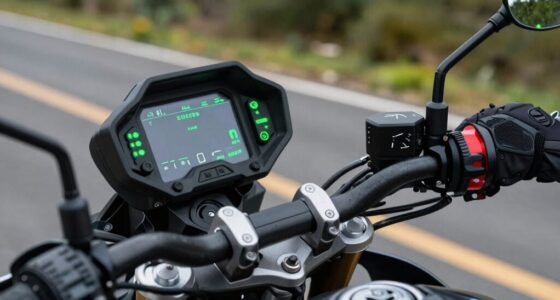
If your group ride intercoms sound muddy or unclear, you’re likely ignoring essential volume and sound settings. Properly adjusting volume levels for each device ensures clear communication and prevents distortion or static. Overlooking features like noise reduction and equalization worsens sound quality. Small tweaks can make a big difference in safety and ride enjoyment. Keep going, and you’ll discover how to optimize your intercom system for crystal-clear communication every time.

Get business pricing on garage and car supplies
- Business-only prices and quantity discounts
- Tax-exempt purchasing
- Multiple users, one account, clear invoices
Key Takeaways
- Ignoring proper volume calibration causes sound distortion and muddled communication during rides.
- Overlooking sound enhancement features like noise reduction worsens audio clarity.
- Failing to customize volume levels for each device leads to unbalanced and unclear audio.
- Neglecting to adjust equalization settings results in voices becoming unintelligible.
- Ignoring these settings increases static, interference, and reduces overall intercom performance.
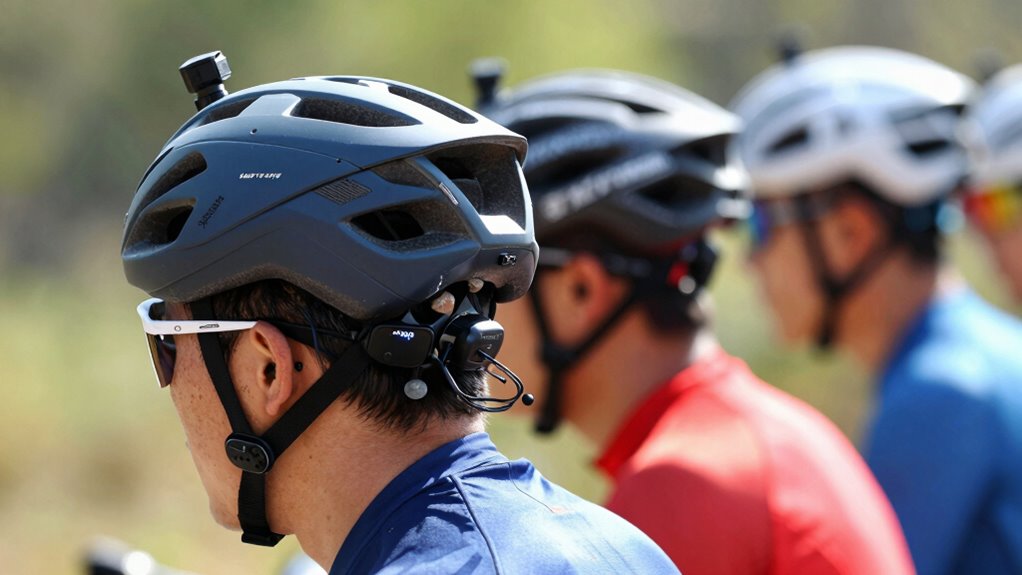
Have you ever noticed how group ride intercoms often sound muddled or echoey, making conversations frustrating? It’s a common problem that many riders face, and the culprit often comes down to a simple overlooked setting: volume adjustment. When you don’t properly set the volume on your device, voice clarity suffers, and conversations become unintelligible. Instead of focusing on clear communication, you’re left straining to hear what your riding buddy said, fighting through static and distortion.
Proper volume settings are key to clear, distortion-free communication on group rides.
The most crucial step to improving sound quality is adjusting the volume correctly. Too low, and voices get lost in background noise; too high, and it causes distortion and echo. When everyone ignores this simple setting, the intercom system’s sound quality degrades significantly. The key is to find a balance where voices are loud enough to hear clearly without causing feedback or echo. This balance is especially important in noisy environments, where proper volume calibration can make or break communication. This might seem like a small detail, but it makes a huge difference on long rides or in noisy environments.
Next, you should pay attention to how your device handles volume adjustment. Many riders overlook the importance of customizing volume levels for each speaker. If one rider’s device is set too high, it can overpower others, leading to muddled sound and difficulty understanding commands or conversation. Conversely, if it’s too low, the communication becomes strained and less effective. You need to test and tweak these settings before heading out, ensuring everyone’s volume levels are optimized for clarity.
Another point often ignored is the importance of static noise reduction and sound equalization. These features work hand-in-hand with volume adjustment to enhance voice clarity. If your system offers these options, take the time to configure them properly. This will help eliminate background noise and improve overall audio quality, allowing you to focus on the ride instead of struggling to hear. Additionally, understanding how audio settings interact with each other is crucial for achieving the best sound quality.
Ultimately, the reason your group ride intercoms sound bad is usually because everyone ignores this simple yet vital setting: volume adjustment. When you make an effort to set the correct volume levels and fine-tune your audio settings, your conversations will become clearer and more natural. Better voice clarity means safer, more enjoyable rides, as you’ll be able to communicate smoothly without constantly asking others to repeat themselves. Don’t overlook this small adjustment — it’s the easiest way to vastly improve your intercom experience.
motorcycle intercom system with noise reduction
As an affiliate, we earn on qualifying purchases.
As an affiliate, we earn on qualifying purchases.
Frequently Asked Questions
How Do I Adjust the Audio Settings on My Intercom System?
To adjust your intercom system’s audio settings, start by locating the volume control and increase or decrease the intercom volume to your preference. Then, tweak the audio balance to verify voices come through clearly without distortion. Most systems have dedicated buttons or a menu; consult your manual if needed. Properly balancing the intercom volume and audio settings ensures everyone hears clearly, improving your group ride experience.
What Is the Best Way to Prevent Audio Feedback During a Ride?
Think of your helmet microphone as a delicate instrument, sensitive to the whispers of your voice and the roar of your surroundings. To prevent audio feedback, activate noise cancellation features and keep your microphone properly positioned. This creates a barrier that blocks unwanted sounds, like a shield guarding your conversation. Regularly check and adjust your helmet microphone, ensuring it’s not too close to speakers, and you’ll enjoy crystal-clear communication without the annoying echo.
Can Different Intercom Brands Have Incompatible Audio Settings?
Yes, different intercom brands can have incompatible audio settings, affecting intercom pairing and audio compatibility. You might struggle to connect devices if their settings don’t match or support the same protocols. To guarantee seamless communication, check each brand’s compatibility specs and adjust audio settings accordingly. Always verify that your intercoms use the same Bluetooth or radio frequency standards for better pairing and clearer sound during your ride.
How Often Should I Update My Intercom Firmware for Optimal Sound?
You should update your intercom firmware regularly, ideally every few months, to guarantee maximum sound quality. Firmware updates often include essential audio calibration enhancements that fix bugs and improve clarity. Skipping updates might cause sound issues or incompatibility during group rides. Stay proactive by checking for firmware updates often, so your intercom stays tuned and delivers crystal-clear communication, keeping your ride safe and enjoyable.
Are There Specific Audio Settings for Noisy Riding Environments?
In noisy riding environments, you should enable noise-canceling features on your intercom and guarantee your helmet fit is snug. A proper helmet fit reduces external noise, making the noise canceling more effective. Adjust your audio settings to prioritize clarity over volume, and use the highest quality mic settings available. This combo helps you hear your group clearly despite wind, engine noise, or other distractions.
Conclusion
If you want your group ride to flow smoothly like a well-tuned engine, don’t ignore that essential audio setting. It’s the hidden gear that keeps everyone in sync, turning chaos into harmony. When you tweak it right, your intercoms sing like a well-rehearsed band, not a cacophonous mess. So, take a moment, adjust that setting, and let your ride be a symphony, not a dissonant noise. Your crew will thank you for the clear communication and smooth ride ahead.
Fall Picks
fall essentials
As an affiliate, we earn on qualifying purchases.