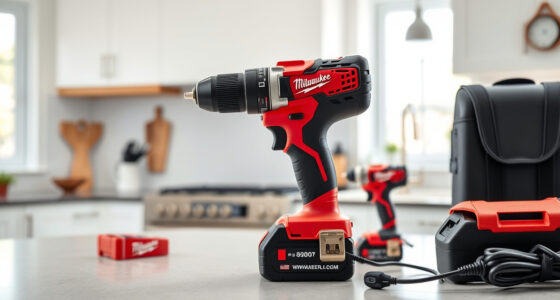
If your Milwaukee M18 charger is blinking red, it indicates a problem that needs addressing to keep your tools running smoothly. This guide walks you through common causes and simple fixes, ensuring safe troubleshooting to restore your charger’s proper function.
Key Takeaways
| Identify blinking patterns | Different blinking sequences indicate specific issues. |
| Check battery compatibility | Using incompatible or damaged batteries can cause red blinking. |
| Inspect charger for damage | Physical damage or dirt can interfere with charging. |
| Follow safe troubleshooting steps | Always disconnect power before inspecting or fixing. |
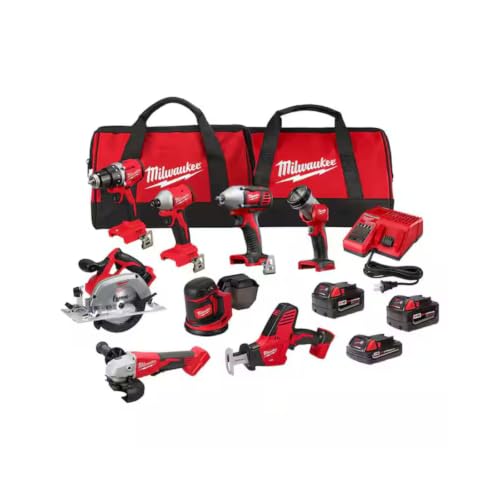
Milwaukee M18 18V Cordless Power Tool Combo Kit, 8-Tool Set, 3 Batteries, 2 Tool Bags, Charger Included
- Complete 8-Tool Set: Hammer drill, impact driver, saw, grinder, reciprocating saw, multi-tool, work light
- Includes 3 Batteries: Two high-capacity and one compact battery
- M18 Lithium-Ion System: Consistent power and extended runtime
As an affiliate, we earn on qualifying purchases.
Understanding the Blinking Red Light
The blinking red light on your Milwaukee charger typically signals an error. It may blink in different patterns—such as slow or fast blinking—each indicating a specific problem like overheating, battery issues, or internal faults. Refer to your charger’s manual for exact pattern meanings.
Step 1: Ensure Proper Battery Placement
- Unplug the charger from the power outlet.
- Remove the battery from the charger.
- Inspect the battery contacts for dirt, corrosion, or damage.
- Reinsert the battery, ensuring it clicks firmly into place.
Step 2: Check Battery Compatibility and Condition
- Verify the battery is an original Milwaukee M18 pack, such as the 48-11-1850R or 6.0Ah XC models.
- Inspect the battery for swelling, corrosion, or dirt.
- Test with a different known-good battery if available.
Step 3: Allow the Charger to Cool
If the charger or battery is hot, it might blink red to prevent damage. Let the charger cool down in a well-ventilated area for at least 30 minutes before trying again.
Step 4: Reset the Charger
- Unplug the charger from the power outlet.
- Wait for 1-2 minutes.
- Reconnect the charger and insert the battery again.
Step 5: Verify Power Source
Ensure the power outlet is functioning properly. Test with another device or use a different outlet if needed.
Additional Tips & Warnings
- Always use genuine Milwaukee batteries and chargers to prevent compatibility issues.
- Avoid forcing the battery into the charger—improper insertion can cause errors.
- Do not attempt repairs if you’re unsure; contact Milwaukee customer support or a professional.
The Products in This Guide

Milwaukee M18 18V Cordless Power Tool Combo Kit
- ✔ Tool Count: 8
- ✔ Battery Type: Lithium-ion
- ✔ Charger Type: Rapid

Milwaukee Shockwave 100pcs Impact Driver Bit Set Packout
- ✔ Number of Bits: 100
- ✔ Case Type: Packout
- ✔ Impact Rated: Yes
Milwaukee M18 18V Cordless Power Tool Combo Kit
The Milwaukee M18 18V Cordless Power Tool Combo Kit offers a comprehensive set of high-performance tools with a reliable charger. Its robust design and included batteries make it ideal for demanding projects.
Pros:
- Includes 3 batteries for extended use
- Versatile 8-tool set
- Fast charger minimizes downtime
- High-quality construction
Cons:
- Heavy for prolonged handheld work
- Requires proper storage to avoid damage
Best for: Construction, remodeling, and maintenance professionals
Not ideal for: Light DIY tasks or occasional use
Bottom line: A versatile, high-performance kit ideal for professionals needing durability and power.
Milwaukee Shockwave 100pcs Impact Driver Bit Set Packout
Pair your Milwaukee tools with this Shockwave impact driver bit set for enhanced performance and durability. It provides 100 impact-rated bits in a convenient Packout case.
Pros:
- Includes 100 impact-rated bits
- Durable and impact-resistant
- Organized Packout case
- Compatible with Milwaukee impact drivers
Cons:
- Bulkier storage case
- Bit sizes limited to impact driver compatibility
Best for: Heavy-duty fastening and drilling tasks
Not ideal for: Light or occasional DIY projects
Bottom line: An essential accessory for maximizing impact driver performance.
Frequently Asked Questions
What does a blinking red light on my Milwaukee charger mean?
It indicates an error, such as overheating, incompatible battery, or internal fault. Refer to the pattern and your manual for specifics.
Can I fix the blinking red light myself?
Yes, by checking battery placement, condition, and ensuring proper cooling. However, avoid opening the charger; seek professional help if needed.
How can I prevent the red blinking error?
Use genuine Milwaukee batteries, keep the charger and batteries cool, and store them properly to avoid damage.
Is it safe to continue charging when the red light blinks?
No, it’s best to troubleshoot and resolve the issue before attempting to charge again to prevent damage or safety hazards.
Keep Your Milwaukee Tools Charging Safely
Understanding the causes behind a blinking red light on your Milwaukee charger allows for quick, safe troubleshooting. Regular maintenance, using compatible batteries, and proper storage help ensure your tools stay ready for any job. Follow these steps to resolve common issues and keep your workday running smoothly.
Affiliate disclosure: As an Amazon Associate we earn from qualifying purchases. Prices and availability are accurate as of the time of publishing.