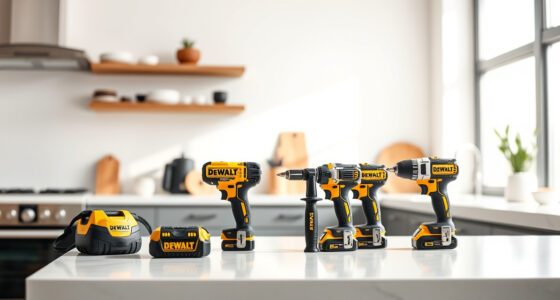

Maintaining your DEWALT power tools is crucial for ensuring they perform reliably and last for years. Proper care involves cleaning, inspecting, and troubleshooting common issues. This guide provides clear, step-by-step instructions to keep your tools in top shape safely and effectively.
Whether you’re a professional or DIY enthusiast, these maintenance tips will help you avoid costly repairs and downtime, and maximize your tools’ lifespan.
Key Takeaways
| Regular Cleaning | Keep tools clean to prevent dust and debris buildup. |
| Battery Care | Properly charge and store batteries for longevity. |
| Inspect Parts | Check for wear or damage regularly. |
| Troubleshoot Issues | Identify and fix common problems promptly. |
| Use Proper Accessories | Only use compatible bits and accessories. |

DEWALT 20V MAX Cordless Drill and Impact Driver, Power Drill Brushless 2-Tool Power Tool Combo Kit, Includes 2 Batteries, Charger and Bag (DCK277D2)
- Compact Design: 7.6-inch lightweight and slim fit
- Ergonomic Grip: Comfortable and balanced handling
- Bright LED Light: Illuminates dark work areas
As an affiliate, we earn on qualifying purchases.
Cleaning Your DEWALT Power Tools
- Unplug or remove batteries before cleaning.
- Use a dry brush or compressed air to remove dust and debris from vents and moving parts.
- Wipe the exterior with a slightly damp cloth; avoid harsh chemicals.
- Ensure all vents are clear to prevent overheating.
Battery Maintenance and Storage
- Charge batteries fully before storage, but avoid overcharging.
- Store batteries in a cool, dry place away from direct sunlight.
- Remove batteries if storing for long periods to prevent capacity loss.
- Use the LED indicator to monitor battery charge status regularly.
Inspecting and Replacing Parts
- Check for signs of wear or damage, especially on the chuck, switches, and cords.
- Replace worn-out or damaged parts immediately to prevent further issues.
- Use genuine DEWALT replacement parts for compatibility and safety.
Troubleshooting Common Problems
- If the tool doesn’t turn on, check the battery charge and connections.
- For reduced power, clean or replace the brushes if applicable.
- In case of overheating, allow the tool to cool down and clear vents.
- If the drill bit slips, tighten the chuck or replace worn bits.
Storing Your Power Tools Safely
Store tools in a dry, secure place, ideally in their original cases or on shelves. Keep batteries and chargers separate and away from metal objects to prevent short circuits. Regularly inspect storage areas for dust or moisture.
The Products in This Guide

DEWALT 20V MAX Cordless Drill and Impact Driver
- ✔ Dimensions: 7.6-inch length
- ✔ Includes: 2 batteries, charger, bag
- ✔ Control: Variable speed trigger

DEWALT Drill Bit Set
- ✔ Size Range: Various
- ✔ Web Design: Tapered for durability
- ✔ Markings: Size marked on shank
DEWALT 20V MAX Cordless Drill and Impact Driver
The DEWALT 20V MAX Cordless Drill and Impact Driver set offers a compact, lightweight design with ergonomic grip and bright LED for dark spaces. It’s ideal for various projects, combining performance with convenience.
Pros:
- Compact and lightweight design
- Ergonomic grip for comfort
- Includes 2 batteries for extended use
- Built-in LED for visibility
Cons:
- Limited to 20V system
- Battery life may vary with heavy use
- No additional accessories included
Best for: DIYers and professionals needing reliable, versatile cordless tools
Not ideal for: Heavy-duty industrial applications requiring higher power
Bottom line: A versatile and reliable cordless drill driver combo suitable for various tasks.
DEWALT Drill Bit Set
This DEWALT Drill Bit Set features high-speed steel bits with a 135-degree split point, designed for plastic, wood, and metal. It’s a perfect accessory for your power tools.
Pros:
- High-quality HSS construction
- Split point reduces walking
- Includes multiple sizes
- Rust-resistant coating
Cons:
- Limited to drill bits only
- Not suitable for heavy-duty industrial use
- Bits may need sharpening over time
Best for: General drilling tasks around the home or workshop
Not ideal for: Heavy-duty, high-torque applications
Bottom line: A reliable drill bit set for versatile and precise drilling tasks.
Frequently Asked Questions
How often should I clean my DEWALT power tools?
Regular cleaning after every few uses helps prevent dust buildup and maintains optimal performance. Use compressed air and a damp cloth for exterior cleaning.
What should I do if my drill battery no longer holds a charge?
First, check the battery’s LED indicator for charge status. If it still doesn’t hold a charge, consider replacing it with a genuine DEWALT battery, as batteries degrade over time.
Can I use any charger with my DEWALT batteries?
Only use the charger designed for your specific DEWALT battery system (e.g., 20V MAX). Using incompatible chargers can damage the battery or reduce its lifespan.
How do I troubleshoot a drill that stops working suddenly?
Ensure the battery is fully charged and properly inserted. Check for any visible damage or debris in the chuck. If issues persist, inspect the trigger switch and brushes, and replace if needed.
Keep Your DEWALT Tools in Peak Condition
Regular maintenance and troubleshooting can extend the life of your DEWALT power tools, ensuring they remain reliable for all your projects. Follow safe practices, perform routine checks, and replace worn parts promptly to get the most out of your investment.
Affiliate disclosure: As an Amazon Associate we earn from qualifying purchases. Prices and availability are accurate as of the time of publishing.