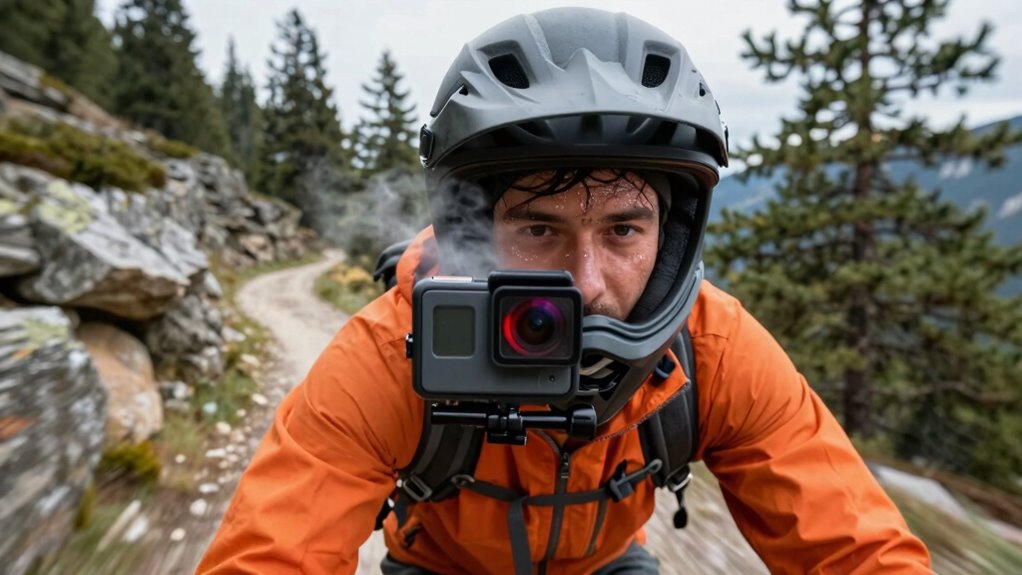
You cause your action camera to overheat when you use high-resolution settings like 4K and high frame rates without considering its limits. These demanding options increase processing and heat buildup, especially if stabilization features are active at high levels. To prevent overheating, lower your resolution, reduce frame rates, and manage stabilization carefully. Proper ventilation and taking breaks can also help keep your camera cool. Keep going to find out how to optimize your settings and avoid overheating.

Get business pricing on garage and car supplies
- Business-only prices and quantity discounts
- Tax-exempt purchasing
- Multiple users, one account, clear invoices
Key Takeaways
- Using maximum resolution or high frame rates increases processing load, leading to overheating.
- Enabling advanced stabilization features at high settings adds extra processing and heat.
- Recording continuously without breaks causes heat buildup in enclosed or unventilated cases.
- Running the camera at 4K or 60fps consumes more power and generates more heat.
- Not managing battery usage or cooling can result in temperature spikes during extended use.
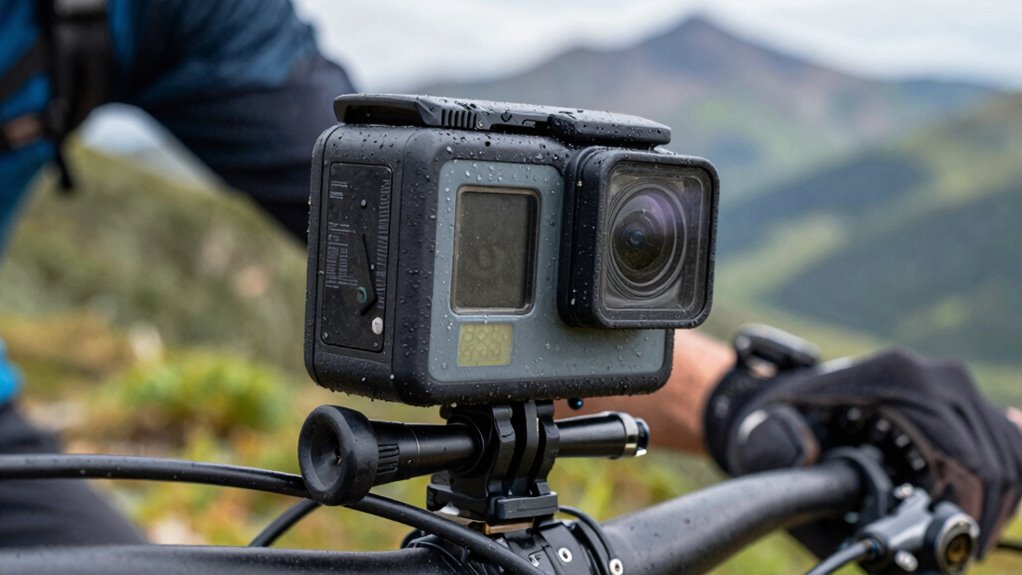
If you’re recording high-intensity rides with action cameras, you’ve probably noticed them overheating unexpectedly. This isn’t just annoying; it can ruin your footage and even damage your device. One common cause is using the wrong camera settings. When you push your camera to capture smooth, high-quality footage, you might inadvertently trigger overheating. To prevent this, you need to pay attention to battery management and image stabilization settings.
Overheating during high-intensity rides can ruin footage—manage settings, battery, and stabilization to keep your camera cool.
Battery management is vital because high-resolution recording consumes a lot of power, which generates heat. When you select the highest resolution or frame rate, your camera works harder, producing more heat and increasing the risk of overheating. To avoid this, consider lowering your resolution or frame rate during intense rides. For example, switching from 4K to 1080p can markedly reduce the workload on your camera’s processor and battery, helping it stay cool longer. Also, keep spare batteries on hand so you can swap them out without forcing the camera to run continuously, which further minimizes heat buildup. Proper battery life management can significantly extend your camera’s operational time without overheating.
Image stabilization is another key factor. Many action cameras come with advanced stabilization features that help smooth out shaky footage, but these features often require additional processing power. When you enable electronic image stabilization (EIS) or optical stabilization at high settings, your camera’s internal components work harder, generating more heat. If you’re riding in extreme conditions, consider turning off stabilization or setting it to a lower level. This simple adjustment can help your camera stay within safe operating temperatures. Remember, stabilization is important, but not at the expense of causing your camera to overheat and shut down mid-ride.
In addition to adjusting settings, pay attention to how your camera is mounted. Proper ventilation can help dissipate heat. Avoid enclosing your camera in tight, unventilated cases during prolonged recording sessions. If your camera has a built-in cooling feature, make sure it’s activated and functioning correctly. Being aware of camera overheating and how to prevent it can extend the lifespan of your device and ensure reliable performance. Keeping your camera well-ventilated and in a suitable environment is also critical for maintaining optimal temperatures.
Ultimately, managing your camera’s settings is about striking a balance. Use lower resolutions, reduce frame rates, and turn off or dial down stabilization when needed. Keep an eye on the heat, and don’t forget to give your camera breaks to cool down if it starts feeling warm. With mindful battery management and careful setting choices, you can keep your action camera from overheating and ensure your footage is sharp, smooth, and safe from damage.
As an affiliate, we earn on qualifying purchases.
Frequently Asked Questions
Can Overheating Damage the Camera Permanently?
Yes, overheating can cause permanent damage to your camera. When it gets too hot, it accelerates battery degradation and can harm internal components. Excessive heat might also corrupt firmware, making updates difficult or causing malfunctions. To prevent this, you should avoid using wrong settings that generate heat and keep your camera in cool environments. Proper care guarantees your action camera stays in good condition and functions reliably over time.
Are There Specific Settings to Prevent Overheating During Long Rides?
Yes, you can prevent overheating during long rides by optimizing your camera’s settings. Use battery optimization features to extend battery life and reduce heat buildup, and choose lower resolution or frame rates to lessen processing load. Also, protect your lens from direct sunlight and overheating by shading the camera or using lens protection accessories. These steps help keep your action camera cooler and functioning properly on extended adventures.
Do Different Brands of Action Cameras Overheat at Different Rates?
Did you know some brands are twice as likely to overheat? When comparing brands, thermal management plays a vital role. You’ll find that certain models have better heat dissipation, reducing overheating during long rides. So, if you’re choosing between brands, look for those with advanced thermal management features. That way, you can record longer without worrying about your camera shutting down unexpectedly.
How Does Ambient Temperature Affect Camera Overheating?
Ambient temperature greatly impacts your camera’s thermal regulation. Higher temperatures push your device closer to its temperature thresholds, making overheating more likely. When you ride in hot conditions, your camera struggles to dissipate heat effectively, increasing the risk of overheating. To prevent this, avoid direct sunlight, take breaks to cool the device, and set it to lower power modes. Monitoring ambient temperature helps you manage overheating and keeps your camera functioning at its best.
Is There a Recommended Way to Cool Down an Overheated Camera Quickly?
Ever feel like your camera’s blazing heat is about to turn it into a mini furnace? To cool it down quickly, use cooling methods like removing the camera from direct sunlight and turning it off temporarily. Implement thermal management strategies such as using a cooling pack or a fan, and allow it time to recover. These methods help prevent overheating, ensuring your camera stays in top shape during those adrenaline-packed moments.
Conclusion
Think of your action camera as a wildfire—powerful but easily overwhelmed if you push it too hard. When you choose the wrong settings, it’s like fueling the flames with dry wood, causing it to overheat and falter. To keep your adventure burning bright, adjust your settings thoughtfully, like tending a gentle campfire. With care, your camera will capture every thrill without burning out, standing as a steady torch guiding your journey through every twist and turn.
Fall Picks
fall essentials
As an affiliate, we earn on qualifying purchases.